
Mortgage pipeline management is the discipline of moving a loan file through intake, document classification, extraction, validation, and underwriting handoff with minimal manual touch and maximum traceability. Done right, it replaces a chain of email attachments and rekeyed spreadsheets with a system that ingests files, tags them, pulls the data fields your loan origination system needs, flags what looks off, and routes the rest to a human only when the file actually needs one.
The payoff shows up in three places: cycle time drops, re-entry errors nearly disappear, and every step leaves an audit trail a compliance officer can actually follow.
Quick math: automating intake through cross-document validation can cut loan processing cycle time by 40 to 60 percent on standard files, according to Docsumo.
Before you commit to a platform or rebuild your workflow, do this first:
- Pick your two or three highest-volume document types (usually W-2s, pay stubs, bank statements).
- Run automation in parallel with your current process for one full pilot cycle.
- Track straight-through processing rate and cycle-time change before switching anything off.
Key Takeaways
Mortgage pipeline management works when intake, classification, extraction, and validation run on confidence-scored automation with human review reserved for genuine exceptions.
| Point | Details |
|---|---|
| Pilot before you switch | Run automation in parallel with your manual process for 8 to 16 weeks before going live. |
| Confidence thresholds drive routing | High-confidence fields auto-populate, medium goes to light review, low goes to manual entry. |
| Track five core metrics | Cycle time, STP rate, exception rate, condition clearance time, and pull-through rate reveal pipeline health. |
| Automation supports underwriters, not replaces them | Use flagged exceptions to speed up human judgment, never to skip it. |
| Autowrite maps to the full workflow | Document intake, classification, extraction, validation, LOS sync, and audit logging with a 14-day trial. |
Table of Contents
- What Does Mortgage Pipeline Management Actually Involve?
- How Do You Roll Out Pipeline Automation Without Breaking Your Process?
- What Should You Check Before Integrating With Your LOS?
- Which Metrics Actually Prove Your Pipeline Is Working?
- What Mistakes Sink Mortgage Automation Projects?
- What Actually Separates a Good Pipeline Vendor From a Mediocre One?
- How Autowrite Fits Into Your Pipeline Automation Plan
- Frequently Asked Questions
- Sources
What Does Mortgage Pipeline Management Actually Involve?
Every automated pipeline is built from five modular pieces, and skipping any one of them is usually why a broker's "automation" still feels manual six months in.
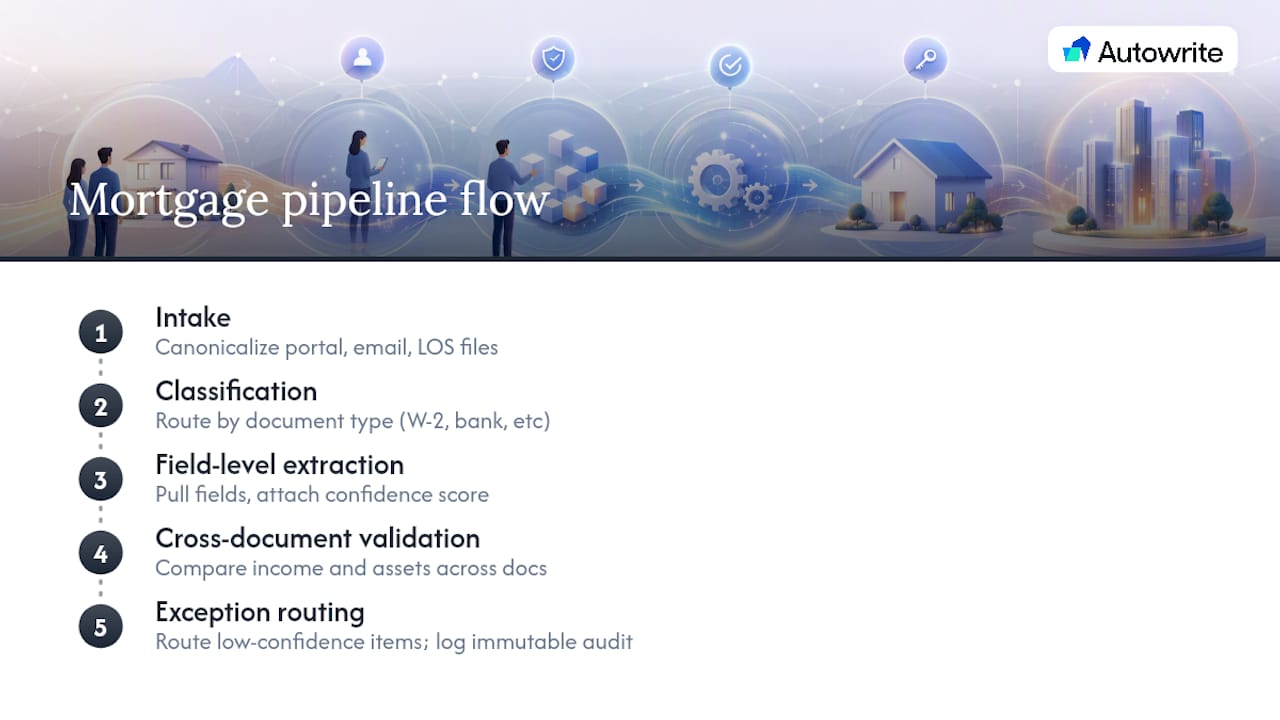
Intake comes from wherever your borrowers and referral partners actually send files: a client portal, email, or a direct LOS export. A pipeline tool worth using canonicalizes all of it into one format the moment it lands, so a scanned bank statement and a portal upload get treated the same way downstream.
Classification sorts files by type before anyone reads them. This matters more than it sounds. A system trained on W-2, pay stub, and bank statement templates recognizes the shape of those documents and routes them correctly, which is what keeps exception queues from filling up with files that just needed the right label.
Field-level extraction pulls the actual data, gross income, employer name, account balances, and attaches a confidence score to each field. High-confidence pulls (often above 98 percent) auto-populate your LOS. Medium-confidence fields go to a quick human check. Low-confidence fields get flagged for manual entry rather than guessed at, a pattern Docsumo's implementation guidance recommends specifically to avoid unnecessary rework.

Cross-document validation checks that the income on the pay stub matches the income on the W-2, and that stated assets line up across bank statements. Set your variance threshold too tight and you'll generate false exceptions all day; too loose and inconsistencies slip through to underwriting.
Exception routing decides what happens when something doesn't clear. A well-built system keeps a human in the loop for anything below your confidence floor and logs every decision, who reviewed it, when, and what changed, in an audit trail that can't be edited after the fact.
Pro Tip: Set your confidence thresholds using your own historical exception data, not a vendor's default settings. A lender processing mostly salaried W-2 borrowers can run tighter thresholds than one working heavy self-employed volume.
How Do You Roll Out Pipeline Automation Without Breaking Your Process?
A phased rollout beats a flip-the-switch conversion every time, and the standard sequence used across the industry runs in four stages, according to Infrrd's implementation guide.
- Discovery and scope. Pick two or three document types and map exactly which LOS fields each one needs to populate. Don't try to automate everything at once.
- Parallel pilot. Run the automated workflow alongside your existing manual process for 8 to 16 weeks. Nobody stops doing it the old way yet, you're just measuring both side by side.
- LOS integration and field-mapping testing. Confirm the extracted data actually lands in the right LOS fields, in the right format, before you go live for real.
- Expand and scale. Add validation rules, tune exception routing, and widen document coverage once your pilot numbers hold up.
The pilot phase is where most of the real decision-making happens. You want side-by-side data on the same files, run manually and automatically, so you can compare outcomes directly rather than guessing.
| Metric | What good looks like at pilot end |
|---|---|
| Straight-through processing rate | 90%+ on standard W-2 files with no manual touch |
| Cycle-time reduction | Measurable drop versus the manual baseline you tracked in parallel |
| Manual re-entry rate | Sharp decline in fields requiring rekeying |
| Exception accuracy | Flagged files genuinely need review, not false positives |
If those numbers hold for your pilot document types, that's your go criterion for expanding scope. If STP stays low or exceptions flood the review queue, tune your thresholds and mapping before adding volume, don't scale a broken pilot.
What Should You Check Before Integrating With Your LOS?
Integration problems rarely show up as dramatic failures. They show up as a field that's supposed to populate and just doesn't, or populates with the wrong format, and nobody notices until underwriting kicks the file back.
Before signing anything, confirm these four things:
- Field mapping is tested, not assumed. Every LOS target field needs a sample transform you've actually verified, because mismatched formats between source documents and your LOS are one of the most common causes of failed population, per Docsumo's guidance.
- Integration pattern fits your stack. Some platforms push via API, others rely on SFTP or queued LOS exports. Ask what happens when a push fails, does it retry, alert someone, or silently drop the file?
- Security and residency are explicit, not implied. Confirm encryption standards, who has access to what, how long records are retained, and whether data stays within Canadian borders if that's a requirement for your brokerage.
- Admin controls match your team structure. You need permission tiers, a supervisor queue for escalated files, and the ability to pull a complete audit trail on demand, not just when a regulator asks.
Pro Tip: Ask any vendor to show you an actual audit log during the demo, not a mockup. If they can't produce one showing a real file's history, that's a gap you'll inherit later.
Which Metrics Actually Prove Your Pipeline Is Working?
Dashboards full of numbers mean nothing if you're not tracking the five that actually move the needle.
- Cycle time per stage measures how long a file sits at intake, classification, extraction, and underwriting handoff, individually, so you can see exactly where files stall.
- Straight-through processing rate tracks the share of files that move from intake to LOS with zero manual touch.
- Exception rate shows what percentage of files get flagged for review, and whether that rate is falling as your thresholds get tuned.
- Condition clearance time measures how fast outstanding conditions get resolved once underwriting sets them.
- Pull-through rate tracks what share of pipeline files actually close.
Industry benchmarks put automated cycle-time reduction in the 40 to 60 percent range, with straight-through processing above 95 percent achievable on standard W-2 files once the system is properly configured. Set alerts before you hit those numbers, not after: a file sitting past your average stage cycle time should trigger a notification automatically, so a stalled closing surfaces days before it becomes a crisis rather than the morning of.
What Mistakes Sink Mortgage Automation Projects?
The failures aren't usually technical. They're procedural, and they're predictable.
The biggest one: treating automation as a replacement for underwriting judgment instead of a way to surface exceptions faster. Automated systems apply lender-defined rules and generate recommendations, they don't make the final call, a distinction FundMore's implementation notes emphasize for good reason.
- Skipping the parallel pilot and flipping straight to automated only, before LOS mapping is fully tested.
- Setting confidence thresholds too loose (exceptions slip through) or too tight (every file gets flagged, and your review queue chokes).
- Ignoring change management. Underwriters who don't trust the exception flags will quietly re-check everything anyway, which erases your time savings.
Pro Tip: Bring your underwriting team into threshold-setting decisions early. They'll catch edge cases a vendor demo never shows you.
What Actually Separates a Good Pipeline Vendor From a Mediocre One?
Sit through enough demos and the differences stop being subtle. Watch for document coverage beyond the standard W-2 case, real LOS connectors rather than generic export claims, and confidence scoring you can actually adjust rather than a black box.
The red flags are just as clear: inconsistent extraction on documents that look nearly identical, exception routing that dumps everything into one queue regardless of severity, and audit logs that can't produce a full history on request.
My heuristic after watching this space: favor whoever lets you run a real parallel pilot with your own files, publishes clear SLA metrics, and lets you configure validation rules yourself instead of accepting theirs as fixed.
How Autowrite Fits Into Your Pipeline Automation Plan
Autowrite is built for exactly the workflow described above, document intake, AI classification, field extraction with confidence scoring, cross-document income and asset validation, and a direct sync to your loan origination system, with exception routing and immutable audit logs built into every step. It's designed specifically for the Canadian mortgage broker's day, not adapted from a generic document tool.
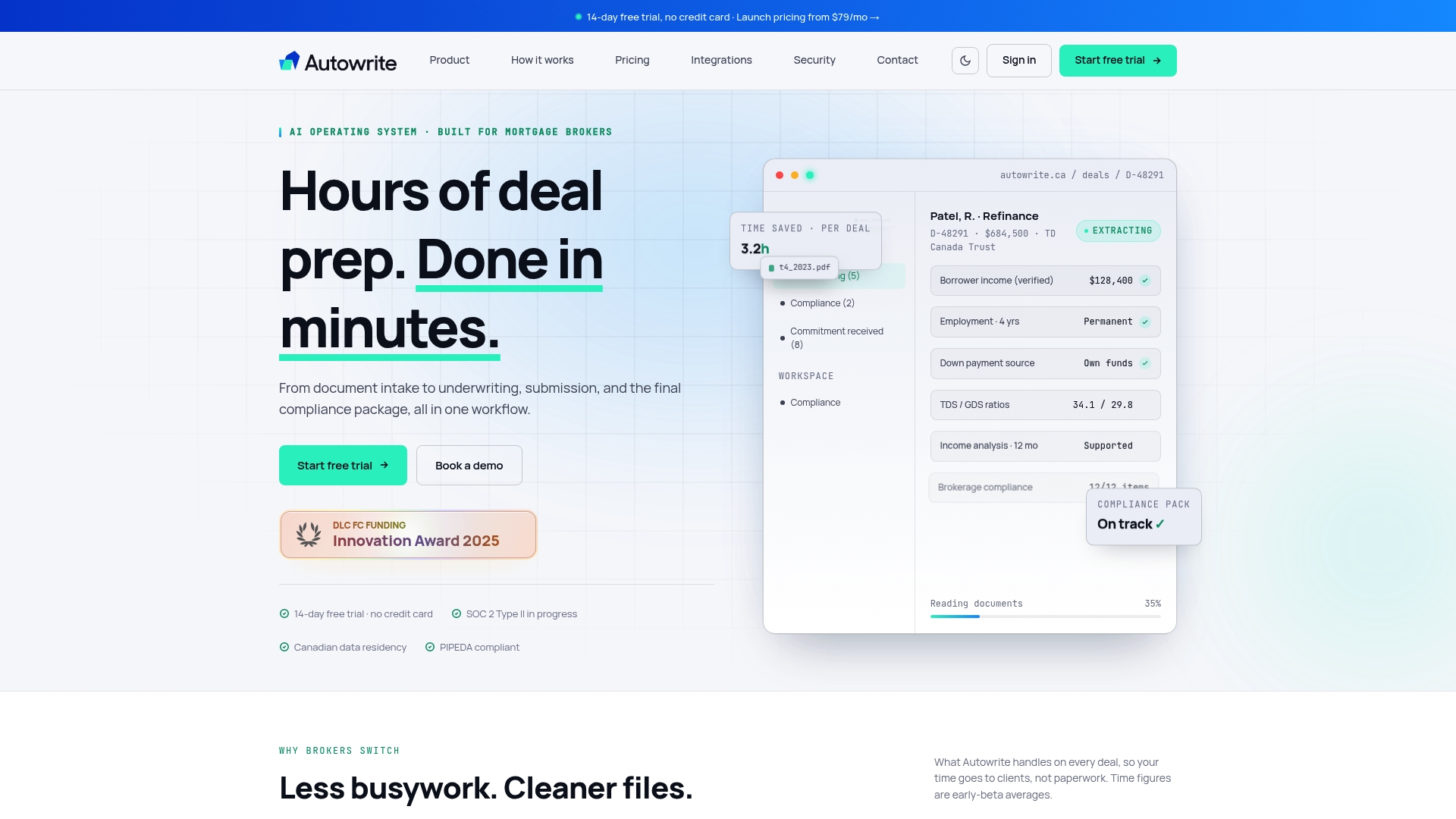
Autowrite runs as a subscription with a 14-day free trial, and onboarding follows the same phased approach this guide just walked through: you start with your highest-volume document types, run them in parallel with your current process, and expand once the numbers hold up. There's no need to overhaul your entire pipeline in week one.
If you're evaluating automation for your brokerage, the practical next step is to pick your two or three most common document types, the ones eating the most hours right now, and run them through Autowrite's platform during the trial period. Compare the extraction accuracy and cycle time against your current process directly, using the same pilot logic covered in the roadmap above, then decide with real numbers instead of a sales pitch.
Frequently Asked Questions
What is mortgage pipeline management, exactly? It's the operational process of moving a loan file from document intake through classification, data extraction, validation, and underwriting handoff, with automation handling the repetitive steps and routing exceptions to a human when confidence drops.
How long does a pipeline automation pilot usually take? Most brokers run a parallel pilot for 8 to 16 weeks, testing automation alongside the existing manual process on two or three document types before expanding.
What cycle-time improvement should I expect from automation? Automating intake through cross-document validation can reduce cycle time by 40 to 60 percent on standard borrower files, with straight-through processing rates often exceeding ninety-five percent once thresholds are tuned.
Does pipeline automation replace underwriters? No. Automated systems apply lender-defined rules and generate recommendations, but final underwriting decisions stay with a human, automation just clears the routine work so underwriters spend their time on files that actually need judgment.
What's the biggest risk in a pipeline automation rollout? Skipping the parallel pilot and LOS field-mapping tests. Mismatches between document formats and LOS fields are a common cause of failed data population, and they're far cheaper to catch in a pilot than after go-live.
Sources
- Guide To Mortgage Document Automation
- Mortgage Document Automation: Complete Guide for Lenders in 2025