
Most Canadian mortgage brokers pay a variable monthly fee per user for their software stack, with entry-level tools generally priced lower, mid-market platforms in the moderate range, and enterprise or custom deployments at the higher end. Volume and per-deal pricing show up too, especially for solo brokers who close fewer files. The real cost driver isn't the sticker price. It's whether the platform integrates with Filogix, Finmo, or Velocity/Scarlett and meets Canadian compliance and data residency expectations. Below: sample budgets and the vendor questions to ask before you sign anything.
TL;DR:
- Native LOS integrations with Filogix, Finmo, or Velocity are critical to avoid manual data entry and reduce errors in mortgage submissions.
- Canadian data residency and compliance controls can significantly increase costs, especially for brokerages requiring strict security and privacy guarantees.
- Software that automates renewals and portfolio tracking can generate ongoing revenue and efficiency benefits that justify higher upfront expenses.
- Per-deal pricing often benefits solo brokers with low volume, while larger teams typically save with seat-based models that scale with headcount.
- When evaluating vendors, prioritize integration capabilities, data ownership, and support SLA over sticker price to achieve true cost savings over a three-year horizon.
Table of Contents
- Fast Takeaways: What Will Affect Your Bill Most
- The 7 Criteria That Actually Matter When Choosing Mortgage Software in Canada
- Vendor Pricing Models Explained and Typical Canadian Ranges
- Which Features Move Price and How to Prioritize Them by Business Stage
- Sample Budgets for Solo Brokers, Small Teams, and Mid-Market Brokerages
- Vendor Evaluation and Negotiation Checklist Before You Sign
- Author Credentials and How Document Automation Reduces Broker Costs
- Why the Lowest Sticker Price Is Rarely the Best Choice for Canadian Brokers
- How Autowrite Fits the Cost Drivers Covered Above
- Sources
- FAQ
Fast Takeaways: What Will Affect Your Bill Most
Before you request a single quote, know where the money actually goes. Pricing models vary widely, and the label on a vendor's pricing page rarely tells the whole story.
- Per-user monthly licensing is the default for CRM-style tools and works best for teams with steady headcount, but hidden costs creep in through per-integration fees and storage caps.
- Tiered plans bundle basic features cheap and gate lender submission tools, e-signature packages, or advanced reporting behind higher tiers.
- Per-deal or placement pricing suits low-volume solo brokers who don't want to pay a flat seat fee during slow months.
- Enterprise/custom pricing applies once you need dedicated data residency guarantees, security reviews, or a custom LOS integration build.
- Regulatory alignment and native lender connectivity change vendor suitability more than any feature checklist. A platform that lacks a Filogix or Finmo sync forces manual re-entry, which is where labor costs quietly balloon.
A useful anchor: industry buying frameworks recommend judging software on a full 3-year total cost of ownership rather than the monthly number on the pricing page, since onboarding and integration costs often rival the subscription itself over that window.
The 7 Criteria That Actually Matter When Choosing Mortgage Software in Canada
Feature lists look similar across vendors until you actually try to submit a file. Here's what separates software that pays for itself from software that just adds a new login to your morning routine.
- Native LOS integrations. A direct sync with Filogix, Finmo, or Velocity/Scarlett eliminates duplicate data entry between your CRM and your lender submission tool. Without it, brokers or their assistants re-key borrower data by hand, which adds hours per file and increases error risk.
- Canadian data residency and compliance controls. Privacy law in Canada under PIPEDA governs how personal information gets stored and processed, and brokers who handle sensitive income and credit data need vendors who can guarantee Canadian storage. This often pushes brokerages into enterprise or enhanced-security tiers priced above standard plans.
- Renewal automation and portfolio tracking. Software that flags upcoming renewals automatically compounds value every year your book of business grows. This contrasts with one-off deal tools that reset to zero after closing.
- Seat-based vs. per-deal pricing fit. High-volume teams generally save with seat pricing; solo or seasonal brokers often do better on per-deal models.
- Onboarding, migration, and support SLA terms. A cheap monthly rate paired with a costly one-time migration fee can erase the savings within the first year.
- API and data-access costs. Ask whether pulling your own data out, or connecting a third-party tool, carries a separate fee.
- Audit-trail depth. OSFI's Guideline B-20 sets expectations around prudent underwriting and record-keeping, and software that can't produce a clean audit trail creates compliance exposure that costs far more than a software subscription ever will.
Pro Tip: Before signing anything, ask for sandbox access and request to see a live example of a lender submission going through the integration end to end. A demo screenshot tells you nothing about how the sync behaves with a real Finmo or Filogix account.
Vendor Pricing Models Explained and Typical Canadian Ranges
Reading a vendor's pricing page is easy. Translating it into what you'll actually pay over three years is where most brokers get it wrong.
Per-user monthly licensing is the most common structure. Entry tools often start under $100 per seat monthly and cover basic CRM functions, with support and one or two integrations included. Mid-tier products in the $100 to $200 range usually add lender connectivity and marketing tools. Above $200 to $300 per seat, expect deeper automation, dedicated support, and compliance features baked in.
Tiered feature plans stack functionality in layers. Basic tiers cover contact management and pipeline tracking. Mid tiers typically unlock e-signature workflows and document automation. Top tiers add API access, custom reporting, and priority support, and this is where the jump between plan levels tends to hurt the most if you didn't budget for it upfront.
Per-deal or placement pricing charges per closed file rather than per seat. This model suits solo brokers or brand-new agents doing a handful of deals monthly, since fixed software costs during slow months can sting worse than a variable per-deal charge.
Hybrid and enterprise pricing kicks in once a brokerage needs custom integration work, a dedicated data residency setup, or a formal security review before signing. These arrangements are usually quoted individually rather than posted publicly, and negotiating them is where the real savings live.
Ballpark for planning purposes: a solo broker might run $100 to $150 monthly all in. A small team of 3 to 10 loan officers often lands between $1,000 and $3,000 monthly depending on seat count and integrations. A mid-market brokerage with 25-plus loan officers and custom compliance needs frequently moves into five-figure annual contracts. Industry benchmarks from U.S. mortgage CRM vendors offer a useful starting point, though Canadian brokers should adjust upward for local LOS integration work and data residency requirements that most U.S.-built tools weren't designed for.

Which Features Move Price and How to Prioritize Them by Business Stage
Not every expensive feature earns its cost. Some pay for themselves in the first quarter; others sit unused while you keep paying for them anyway.
LOS integration, document automation, and audit-trail depth carry the highest price tags, and for good reason: they eliminate the manual re-entry and error-checking that eats a broker's or assistant's week. A tool that auto-fills underwriting forms from scanned documents saves hours per file compared to typing data by hand, and that time savings scales with every deal you close.
- Renewal automation pays off on a longer curve. It costs little to add but keeps generating trailer income and referral opportunities years after the original deal closed, unlike a one-off closing feature that has no life after the file funds.
- Portfolio-management tools matter more as your book grows. A solo broker with 40 active files doesn't need the same depth as a team managing thousands.
- Marketing automation and client portals earn their cost once volume justifies the time saved on manual follow-ups, but for a one- or two-person shop they're often a nice-to-have you can defer.
- Advanced reporting only pays off if someone on your team actually acts on the numbers weekly. Otherwise it's a feature you're paying for and ignoring.
The simplest way to prioritize: map every feature to revenue per loan officer. If a feature saves each LO two hours weekly and your average deal earns $2,000 to $3,000 in commission, the math on paying an extra $50 to $100 per seat usually favors the software, especially once you factor in fewer errors and faster lender turnaround. Broker tooling that speeds up submission accuracy also tends to shorten the time between application and approval, which matters directly to client retention.
Sample Budgets for Solo Brokers, Small Teams, and Mid-Market Brokerages
Abstract price ranges are hard to plan around. Here's what three common brokerage profiles might actually see on an invoice, with the assumptions stated so you can adjust for your own volume.
Solo broker (1 LO, low-to-moderate deal volume, one LOS integration needed): expect a low monthly seat fee plus a modest one-time onboarding cost. Year-one total cost of ownership often lands in the low thousands once onboarding is factored in, even with a modest monthly rate.
Small team (3 to 10 LOs, shared CRM, one lender integration, occasional per-deal add-ons): per-seat licensing across the team plus onboarding typically pushes monthly costs into four figures, with year-one TCO meaningfully higher once migration and training are included.
Mid-market brokerage (25+ LOs, multiple lender integrations, formal data residency requirements): enterprise or custom pricing applies here, often with a security review and dedicated onboarding. The higher upfront cost is usually offset by measurable time savings across a larger team, since automation gains scale with headcount.
| Brokerage profile | Team size | Typical monthly range | Key cost drivers |
|---|---|---|---|
| Solo broker | 1 LO | Under $150 | Basic seat fee, one-time onboarding |
| Small team | 3–10 LOs | $1,000–$3,000 | Per-seat fees, one integration, occasional per-deal charges |
| Mid-market brokerage | 25+ LOs | Custom/enterprise quote | Multiple integrations, data residency setup, security review |
These figures assume a standard Canadian LOS connection and no unusual compliance overlays. Brokerages operating across multiple provinces or handling higher-risk lending programs should expect quotes to run above these ranges.
Vendor Evaluation and Negotiation Checklist Before You Sign
A good quote answers questions before you have to ask them. A vague one is a warning sign. Run every finalist through this list before committing.
- Which LOS platforms (Filogix, Finmo, Velocity/Scarlett) does the software connect to natively, and is that connection live or in beta?
- Can you get sandbox access to test the integration before signing?
- Where is client data physically stored, and can the vendor confirm Canadian data residency in writing?
- What does it cost to export all your data if you leave?
- Are API calls metered, and what happens if you exceed the included volume?
- Is per-file storage capped, and what's the overage fee?
- What's the actual support response time SLA, not just the marketing promise?
- Are there price escalation clauses built into the renewal term?
- Does onboarding include live training, or just documentation?
- What's the exit process, and how long does data export take?
Watch for contract traps: hidden per-integration fees that appear only after signing, API access capped so low it forces an upgrade within months, and data ownership clauses that make export slow or costly. Push back on all three before you sign, not after.
A simple 3-year TCO formula helps you compare quotes apples to apples: (monthly fee × 36) + onboarding/migration costs + estimated integration fees + estimated overage charges. Run every finalist quote through that formula rather than comparing sticker prices alone. Industry procurement guidance consistently favors benchmarking three-year cost over any single monthly number, since the cheapest quote on paper often loses that comparison once migration and productivity gains are factored in.
Pro Tip: Ask each finalist vendor to fill in your TCO formula themselves, in writing. Vendors who hesitate to commit numbers to paper are usually the ones with the most hidden fees.
Author Credentials and How Document Automation Reduces Broker Costs
This guide is written by Anant Bawa, whose work on mortgage pipeline management and workflow automation for Canadian brokers informs the cost breakdowns above. For a deeper look at how automation changes a broker's day-to-day operating cost, see the guides on pipeline management and workflow automation ROI.
Autowrite, as the vendor, reports that its document classification and data extraction tools cut the manual work of sorting and entering borrower documents, and that its Canadian data residency setup is built specifically for brokers navigating PIPEDA obligations. These are vendor-stated claims, not independent test results, but they map directly to the cost categories brokers care about most:
- Reduced admin hours spent manually classifying and entering document data.
- Fewer data entry errors feeding into underwriting forms.
- Faster lender submission turnaround from auto-filled forms syncing with mortgage software.
A brokerage that spends less time re-keying documents by hand spends more time on borrower relationships and file volume. That's the trade the automation tier of pricing is actually buying.
Brokers curious how these claims translate to their own file volume can request a demo or ROI walkthrough directly from Autowrite.
Why the Lowest Sticker Price Is Rarely the Best Choice for Canadian Brokers
Brokers who chase the cheapest monthly seat fee usually pay for it later in manual labor, compliance risk, or a migration project a year down the road. Integration depth and data residency controls carry a real premium, but that premium is smaller than the cost of a rejected lender submission or a privacy gap under PIPEDA. Given OSFI's expectations around auditable underwriting records, software that can't produce a clean trail is a liability regardless of price. Prioritize LOS integration, renewal automation, and data residency first. Let the monthly rate be the tiebreaker, not the deciding factor.
— Anant Bawa
How Autowrite Fits the Cost Drivers Covered Above
Every cost driver in this guide, lender integration, compliance overhead, manual data entry, points to the same fix: automation that actually understands mortgage documents instead of just storing them. Autowrite is built for exactly that gap. It auto-fills underwriting forms from scanned intake documents, syncs with the mortgage software brokers already use, and assembles compliance and e-sign packages without a broker re-typing a single field, all while keeping data storage in Canada to align with PIPEDA expectations.
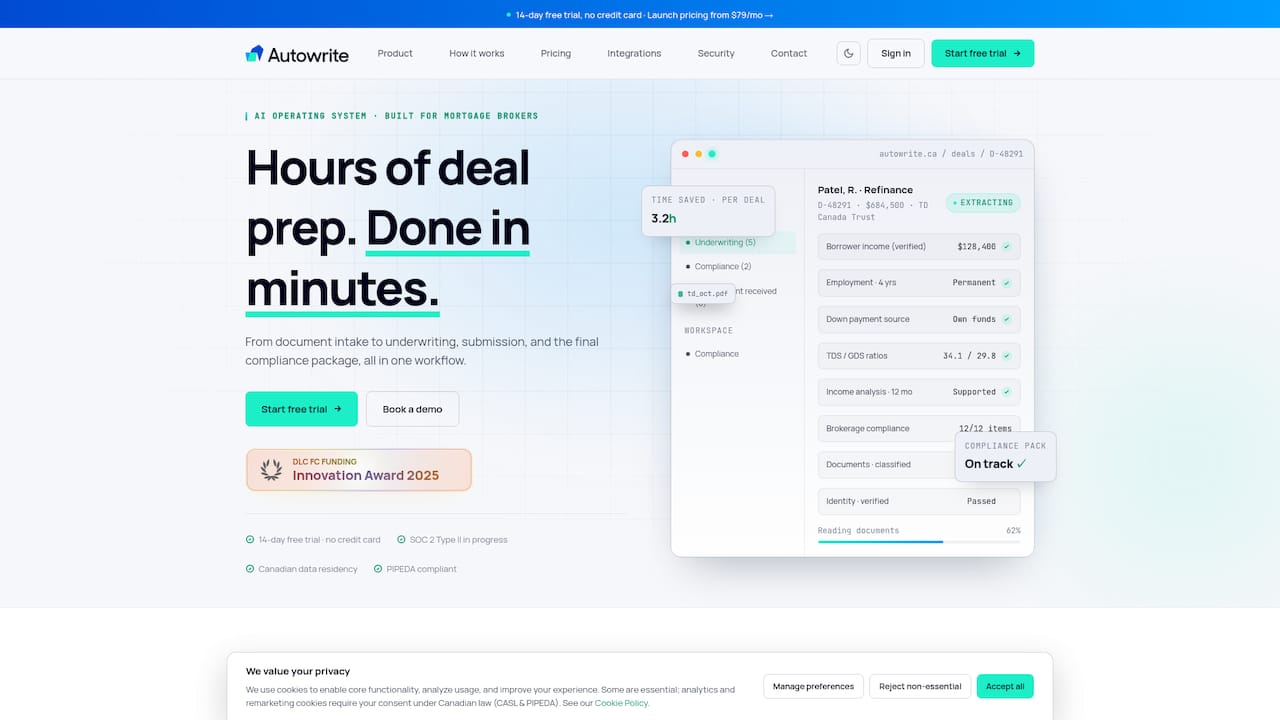
Pricing runs on four plans: Starter at $149 per month, Pro at $269 per month, Legend at $499 per month, and Enterprise with custom pricing for larger brokerages, plus a $20 one-off fee per additional deal beyond plan limits. Every plan starts with a 14-day free trial, so you can test document extraction accuracy against your own files before committing. If the cost breakdowns above have you rethinking your current stack, check current plans and start a trial to see where Autowrite lands on your own three-year TCO math.
Sources
Verify the compliance and privacy claims in this guide directly from the source:
- OSFI Guideline B-20 (draft/extract)
- Office of the Privacy Commissioner of Canada — PIPEDA overview
- How to choose a mortgage CRM (BNTouch buying framework)
FAQ
How Much Does Mortgage Broker Software Cost in Canada?
Prices typically range from under $100 per seat monthly for entry-level tools to $300-plus for enterprise platforms with deep LOS integration and compliance features. Autowrite's own plans run $149 to $499 per month, with Enterprise priced on request and a $20 fee per additional deal beyond plan limits.
What Programs Do Mortgage Brokers Use in Canada?
Most Canadian brokers use a CRM or pipeline tool alongside a lender submission platform like Filogix or Finmo, and increasingly an automation layer that handles document intake and underwriting form fills. The right combination depends on deal volume and how many lenders you submit to regularly.
How Much Does a Mortgage Broker Make on a $500,000 Mortgage?
Broker commission varies by lender and product, but it's typically calculated as a percentage of the mortgage amount, often in the range of a fraction of one percent to just over one percent depending on the deal type and lender agreement. Software costs are a small fraction of that commission once a deal closes successfully.
What Is a Typical Fee for a Mortgage Broker in Canada?
Most Canadian mortgage brokers don't charge borrowers directly since they're paid a commission by the lender upon funding. Fees to the borrower typically only apply in specific cases, such as private or alternative lending deals where lender commissions are lower.
How Do I Choose Between Per-Seat and Per-Deal Pricing?
Per-seat pricing tends to favor established teams with steady deal flow across multiple loan officers, since the fixed cost per seat gets diluted across volume. Per-deal or placement pricing suits solo brokers or new agents whose deal count fluctuates month to month, since it avoids paying a flat fee during slow periods.