
The fastest way to auto-fill lender forms depends on who you are: borrowers get the most mileage from a browser autofill extension or an AI PDF form-filler, while mortgage brokers handling multiple deals should build a master CSV mapped to reusable lender templates. Install the right tool today, test-fill one form to confirm accuracy, and you can cut form entry from an hour to a few minutes.
TL;DR:
- Using batch or template-based auto-fill systems is essential for brokers managing multiple lender forms, as they significantly reduce overall submission time.
- AI PDF form fillers are capable of scanning and detecting fields in flattened or scanned documents, saving templates for reuse across similar lender applications.
- Proper field detection, semantic mapping, and validation rules are critical to minimize errors caused by format mismatches or undetected fields in scanned PDFs.
- Ensuring data privacy involves confirming whether the autofill tool processes information locally or in the cloud, and verifying encryption standards and retention policies.
- Testing autofill accuracy with a sample form and reviewing all entered data before submission helps prevent common errors and rejection issues.
Table of Contents
- Which Auto-Fill Approaches Exist and Who Each Suits Best
- How Auto-Fill Actually Works Behind the Scenes
- Setting Up Autofill: Steps for Borrowers and Brokers
- What to Check Before Auto-Filling Lender Forms
- Common Autofill Errors and How to Fix Them
- Why Broker-Grade Automation Changes the Deal Pace
- Author's Perspective: Practical Recommendation for Borrowers and Brokers
- Get Your Lender Forms Filled in Minutes, Not Hours
- Sources
Which Auto-Fill Approaches Exist and Who Each Suits Best
Three distinct categories handle lender form autofill, and picking the wrong one wastes more time than it saves. Browser extensions fill standard web fields the moment a page loads. AI PDF form-fillers go a step further, scanning flattened or scanned lender documents and detecting text boxes, checkboxes, and table cells before letting you save that layout for reuse, according to JustFill's AI PDF form filler. Batch or template-based systems sit above both: they map one structured record to dozens of different lender PDFs at once.
Here's how they stack up:
- Browser extensions — fastest setup, near-zero cost, but limited to web forms and prone to breaking on unusual field layouts. A tool like Fill Hero handles standard Chrome-based forms well.
- AI PDF form-fillers — handle scanned and flattened lender documents, detect checkboxes and tables, and let you save a template after the first fill.
- Batch/template systems — built for volume, mapping one master data row across multiple lender forms simultaneously, but requiring upfront setup time.
If you're a borrower filling out one or two applications, an extension or a PDF tool gets you there in minutes. If you're a broker submitting the same client data to four or five lenders, batch systems are the only approach that scales. Trying to force a browser extension to do a broker's job means retyping the same fields five separate times.
How Auto-Fill Actually Works Behind the Scenes
Auto-fill tools rely on three linked processes, and understanding them tells you why some tools feel instant while others stumble on messy scanned documents.
- Field detection. The software scans a document's structure and identifies interactive zones: text boxes, checkboxes, dropdown menus, and table-like cells. Modern AI tools do this even on flattened PDFs with no embedded form fields, which is common with older lender applications.
- Semantic mapping. Rather than requiring an exact label match, the system proposes connections between your data columns (say, "Applicant Annual Income") and a lender's oddly worded field ("Gross Yearly Earnings"). This cuts manual mapping from dozens of individual clicks down to a quick confirmation pass, based on how Instafill's mortgage automation resource describes broker-side mapping.
- Saved templates and validation rules. Once a mapping is confirmed for one lender's form, it's saved. The next application to that same lender skips the mapping step entirely and jumps straight to data entry, with validation rules catching format mismatches before they become submission errors.
Pro Tip: Save a template the first time you fill out any recurring lender form, even if you only expect to use it twice. The 15 to 20 minutes you spend mapping fields correctly the first time pays off on every future submission to that same lender.
Setting Up Autofill: Steps for Borrowers and Brokers
The setup path splits sharply depending on whether you're filling out one application or managing a pipeline of them.
For borrowers, the quick path looks like this:
- Install a browser extension or download an AI PDF form-filler.
- Populate your primary data: name, address, income, employment history, and asset details.
- Test-fill a copy of the lender form, never the original.
- Review the filled document on screen, field by field.
- Submit only after every entry matches your actual records.
For brokers, the batch workflow requires more setup but pays off across every future deal:
- Build a master CSV or CRM row containing each client's core data points.
- Upload the target lender's PDF into your form-filling platform.
- Review the AI's proposed field mapping and confirm or correct it.
- Save the confirmed mapping as a reusable template.
- Batch-generate filled PDFs across multiple lenders from the same master record.
- Attach supporting documents (pay stubs, bank statements, ID) before sending.
Before anything goes to a lender, run a short pre-submission check: confirm every required attachment is present, every signature field is flagged for e-sign, and the file format matches what the lender's portal accepts. Skipping this step is where most rejected submissions actually originate.
What to Check Before Auto-Filling Lender Forms
Lender applications carry Social Insurance Numbers, income details, and account numbers, so the tool you choose needs to handle that data responsibly, not just quickly.
Start with storage. Find out whether the tool processes your document locally or uploads it to a cloud server, and read the vendor's retention policy before you commit any real client data. A tool with vague or missing data-handling terms is not worth the time saved.
- Confirm whether your data is processed locally or in the cloud, and for how long it's retained.
- Prefer providers with clear encryption standards and a stated deletion policy.
- If you're a broker filling out forms with borrower-supplied data, get explicit consent first and keep an auditable record of it, which also supports broader anti-money laundering compliance obligations.
- Avoid running highly sensitive fields, like full banking credentials, through any autofill tool that isn't explicitly built for secure handling.
- For final signed legal documents, use the lender's own secure portal rather than a third-party autofill layer.
Common Autofill Errors and How to Fix Them
Most autofill failures trace back to a handful of predictable causes, and each one has a straightforward fix.
Format mismatches happen when your source data uses a different structure than the lender expects, like dates written as "03/14/2026" against a form expecting "14 03 2026." Normalize your master data once, and set validation rules so the system flags mismatches before you submit rather than after a lender kicks the file back.
Hidden or undetected fields slip through when a PDF's structure confuses the detection engine, usually on older scanned forms. A quick visual verification pass, reviewing the filled document on screen before you send it, catches nearly every one of these misses, a step JustFill's own guidance treats as close to mandatory.
- Normalize dates, currency formats, and phone numbers in your master data before mapping.
- Set conditional mapping rules for checkboxes tied to specific scenarios, like self-employed versus salaried income sections.
- Remap or edit a template the moment a lender updates its form layout, rather than patching the old mapping.
Pro Tip: If a field keeps failing to auto-fill correctly across multiple attempts, stop troubleshooting the mapping and check the source PDF itself. Some lender forms are built as static images disguised as fillable documents, and no mapping fix will solve that.
Why Broker-Grade Automation Changes the Deal Pace
Manually retyping the same client file into four or five different lender PDFs is where broker afternoons disappear. Batch form-filling platforms cut that multi-bank submission time substantially, turning a process that normally runs over an hour for four banks into about 30 to 40 minutes once templates and a CSV master record are in place, according to Instafill's case-study data.
A typical broker-grade workflow runs like this: intake documents arrive, get classified and logged into a master record, get mapped once against each lender's template, then get batch-generated into final PDFs ready for e-signature and submission. Some platforms build around exactly this sequence.
- Automate document classification and data extraction from intake paperwork.
- Auto-fill underwriting forms using saved, lender-specific templates.
- Assemble e-sign and compliance packages once mapping is confirmed.
- Support Canadian data residency requirements for broker operations.
Brokers evaluating time savings can review the mortgage workflow automation ROI breakdown for a fuller picture of where the hours actually go.
Author's Perspective: Practical Recommendation for Borrowers and Brokers
If you're a borrower filling out one or two applications, do it yourself with a browser extension or PDF tool. There's no reason to hand that off. Brokers, on the other hand, should stop treating template-building as optional busywork and start it on their three highest-volume lenders first. The borrower’s next step is a five-minute install. The broker's next step is a CSV and one mapped template.
— Anant Bawa
Get Your Lender Forms Filled in Minutes, Not Hours
There are alternatives to manual re-entry for brokers juggling multiple lenders on the same file. Instead of retyping client data into every bank's PDF, brokers can build one master record and let a platform handle classification, mapping, and batch generation across active lenders.
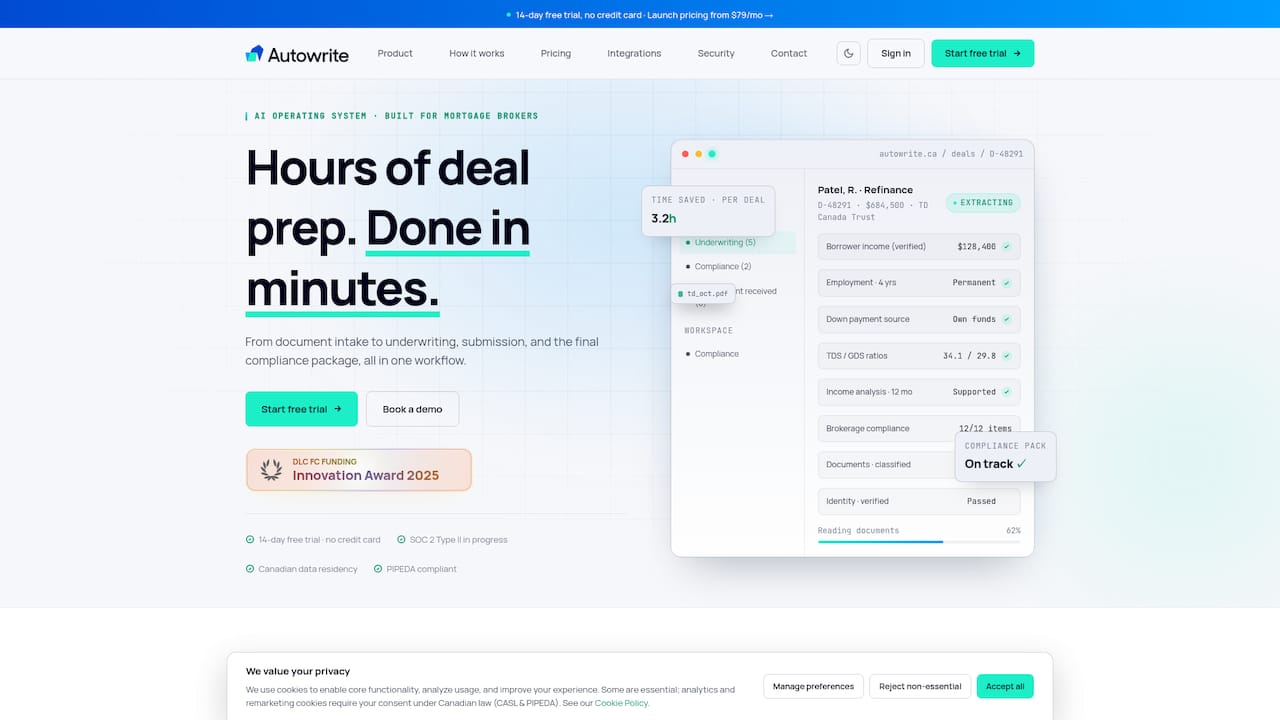
Such platforms often cover the full sequence this guide walks through: document intake, semantic field mapping, saved lender templates, and e-sign package assembly, with attention to Canadian data residency requirements for licensed brokers. If your intake checklist needs tightening before you automate it, the mortgage document checklist guide is a good starting point. Once your process is mapped, batch generation does the repetitive work automatically.
If you're spending afternoons retyping the same client file into four different lender portals, start a trial at Autowrite and map your first template today.
Sources
- How Mortgage Brokers Submit to 4+ Banks Same-Day Using Batch Form Filling | Instafill.ai resources
- Free AI PDF Form Filler App — Fill Out Any PDF Online
- Autofill Forms — Fill Hero (Chrome Web Store)