
Mortgage data extraction converts loan documents into structured, verified data that underwriting systems can act on immediately, cutting turn times and slashing document defects in the process. It covers the full pipeline: intake, classification, extraction, verification, and delivery into your loan origination system. Done well, it turns a stack of PDFs into an audit-ready dataset in minutes instead of hours.
TL;DR:
- High-volume documents like pay stubs and bank statements yield the quickest ROI with accuracy improving rapidly as the system learns.
- Handling multi-document PDFs, confident classification, and schema-based extraction are essential for a reliable end-to-end mortgage data pipeline.
- Low-confidence fields and discrepancies are routed to human reviewers to maintain data integrity and ensure a transparent audit trail.
- Modern pipelines rely on visual parsing, confidence scoring, and API integration into existing systems, reducing manual rework and errors.
- A staged pilot approach, starting with one document type and expanding gradually, leads to more sustainable and accurate automation.
Table of Contents
- What Mortgage Data Extraction Actually Does
- The Mortgage Data Extraction Workflow, Step by Step
- Which Mortgage Documents and Fields Get Extracted
- Why Manual and Legacy OCR Approaches Fall Short
- How AI-Driven Extraction Pipelines Actually Work
- The Business Case: Metrics That Actually Move
- Running a Pilot: From Proof of Concept to Full Scale
- Who's Behind This Guide, and What Autowrite Brings to It
- Five Things to Get Right Before You Automate
- Where Autowrite Fits Into This Architecture
- Sources
What Mortgage Data Extraction Actually Does
Mortgage data extraction is the process of pulling specific, structured values out of unstructured or semi-structured loan documents and outputting them in a format your systems can consume, typically JSON or a direct field map into your loan origination system (LOS). Instead of a loan officer retyping a borrower's income from a pay stub PDF, an extraction pipeline reads the document, identifies the relevant fields, and writes them straight into the file.
This sits at the center of the loan lifecycle rather than off to the side. Intake teams use it to confirm a file is complete. Underwriters use the extracted values to verify income and assets against stated figures on the 1003. Quality control teams cross-check extracted data against system-of-record entries before investor delivery. A few examples make this concrete:
- A borrower's gross monthly income pulled from a pay stub feeds directly into debt-to-income calculations.
- Bank statement transaction arrays get scanned for large, unexplained deposits that trigger underwriter follow-up.
- Closing Disclosure figures get reconciled against the Loan Estimate to catch tolerance violations before they become compliance issues.
The output format matters as much as the accuracy. A prebuilt mortgage model that returns clean, schema-based JSON is far easier to wire into an LOS than a tool that just spits out raw text.
The Mortgage Data Extraction Workflow, Step by Step
A working extraction pipeline follows a consistent sequence, regardless of which vendor or platform sits underneath it. Understanding each stage helps you evaluate whether a tool actually covers the full workflow or just handles one slice of it.
- Intake and normalization. Files arrive as scans, faxes, mobile photos, or native PDFs, often bundled into one combined package. The system needs to split that package into individual documents, standardize file types, and apply consistent naming so downstream steps can find what they need.
- Classification. Each page or document gets tagged by type: 1003, pay stub, W-2, bank statement, tax return, Loan Estimate, appraisal. Classification has to work at the page level, not just the document level, because borrowers often submit multi-document PDFs with no clear breaks.
- Schema-driven extraction. Once a document's type is known, the system applies the matching schema, a defined set of fields to pull, and extracts each value. A visual-first parsing approach parses the full package once, then runs targeted extraction calls against that parsed output for each document type it finds.
- Cross-document verification. Extracted values get checked against each other. Does the income on the pay stub roughly match the income on the 1003? Does the loan amount on the LE match the CD? Each field carries a confidence score reflecting how certain the system is.
- Human-in-the-loop routing. Low-confidence fields, unusual formats, or flagged discrepancies get routed to a human reviewer instead of passing through silently. This is the step that keeps automation from becoming a black box.
- Output to LOS and QC. Verified data writes into the loan origination system, and an audit trail travels with it, linking every field back to the exact page and location in the source document.
Pro Tip: Start your workflow evaluation by asking a vendor how they handle a single combined PDF containing twelve different document types. That answer tells you more about real-world readiness than any accuracy percentage on a spec sheet.
Which Mortgage Documents and Fields Get Extracted
Not every document in a loan file carries the same extraction complexity, and knowing which ones do helps you scope a pilot correctly. The 1003 (Uniform Residential Loan Application) contributes borrower identity, employment history, income, assets, and liabilities. Pay stubs contribute gross and net pay plus year-to-date totals, values that sound simple but vary wildly in layout from employer to employer. W-2s hand over specific box values (wages, federal tax withheld, Social Security wages) that map cleanly to income verification.
Bank statements are trickier. They require pulling entire transaction arrays, dates, descriptions, and amounts, rather than a handful of static fields, and multi-page statements often carry inconsistent table formatting from page to page. Tax returns add another layer: adjusted gross income, Schedule C or E figures for self-employed borrowers, and the need to reconcile numbers across two or three years of returns. Loan Estimates and Closing Disclosures require precise extraction of closing figures, since even small mismatches trigger compliance flags. Appraisals contribute property value figures that feed loan-to-value calculations.
A few extraction challenges recur across document types:
- Table parsing on bank statements and amortization schedules remains harder than single-field extraction.
- Handwritten entries on older or borrower-completed forms still trip up many extraction engines.
- Multi-year tax packages require reconciling the same field across several documents, not just extracting each in isolation.
Pay stubs and bank statements typically deliver the fastest return on investment. They're high-volume, arrive in every single file, and carry meaningful complexity that manual review is slow and error-prone at handling.
Why Manual and Legacy OCR Approaches Fall Short
Manual data entry has a ceiling, and most lending operations hit it long before volume justifies the headcount required to keep up. A processor keying in figures from a pay stub or bank statement introduces transcription errors at a rate that compounds across a file with dozens of data points, and every error introduces rework risk downstream.
Older OCR-only systems and rigid template matching solve part of the problem but break down in specific, predictable ways:
- Template-based systems assume a fixed layout, so a new lender's pay stub format or a slightly redesigned bank statement breaks the extraction entirely.
- Plain OCR reads text but doesn't understand structure, so it struggles to tell a table row from a paragraph or a transaction line from a header.
- Handwritten fields, faxed documents, and low-resolution scans defeat character recognition accuracy that already struggles with clean, typed text.
- None of these approaches natively produce a confidence score, so a wrong extraction looks identical to a correct one until someone catches it manually.
Loan files often run to hundreds of pages, and the industry's own guides note automation is now viewed as essential to controlling cost-per-loan and cycle times at any meaningful volume.
The operational cost shows up downstream, not just in the processing step. Bad extractions cause rework loops between processing and underwriting, increase repurchase risk when investor delivery data doesn't match the file, and slow cycle times exactly when speed matters most to close a deal before rate locks expire.
How AI-Driven Extraction Pipelines Actually Work
Modern mortgage data extraction runs on Intelligent Document Processing (IDP) architectures that combine visual parsing, schema-driven extraction, and confidence-based routing. Understanding these pieces helps you ask sharper questions when evaluating a platform.
Visual-first parsing treats a document as an image with structure, not just a string of characters. The system parses layout, tables, checkboxes, and text blocks together, which is what lets it handle a bank statement's transaction table differently from a 1003's form fields. A well-designed pipeline parses the entire document package once and reuses that parsed representation for every subsequent extraction call, rather than reprocessing the file for each document type it needs to pull data from. This parse-once, extract-many pattern cuts reprocessing time significantly on large combined PDFs.
Schema-driven extraction means the system extracts against a defined structure for each document type: typed fields, nested objects for repeated data, and arrays for transaction lists. This is what makes reconciliation deterministic. When a bank statement's transactions come back as a structured array rather than loose text, matching deposits against stated income becomes a straightforward comparison instead of a manual scan.
Confidence scoring and bounding-box grounding give every extracted value two things: a numeric estimate of how certain the system is, and a citation back to the exact page and coordinates it came from. That grounding is what makes an audit trail real. An underwriter or a compliance reviewer can click on a value and see precisely where it came from in the source file, which matters enormously the first time a regulator or investor asks for proof of a figure.
A few architectural decisions determine whether a pipeline holds up in production:
- Processing mode. Batch processing suits nightly reconciliation runs; streaming or near-real-time processing suits point-of-sale intake where a broker needs a completeness check while the borrower is still on the phone.
- API strategy. Direct API integration into your LOS avoids manual export/import steps that reintroduce the errors extraction was supposed to eliminate.
- Security and data residency. Lenders handling sensitive borrower data need clear answers on where data is processed and stored, not just how accurately it's extracted.
- Human review triggers. The best pipelines route intelligently, sending only genuinely ambiguous fields to a human, not flooding reviewers with low-value confirmations.
Pro Tip: Ask any vendor to show you a bounding-box citation on a real extracted field, not a screenshot from a slide deck. If they can't produce one live, the audit trail claim is probably more marketing than architecture.
Enterprise deployments often add auto-correction logic, formatting validation, and continuous learning loops that improve accuracy over time as the system sees more document variants, an approach several enterprise vendors have built into their production QC processes.
The Business Case: Metrics That Actually Move
The value of mortgage data extraction shows up in numbers your operations team already tracks, not abstract efficiency claims. Turn times drop because processors stop manually keying data that a pipeline extracts in minutes. Defect rates fall because structured, verified data replaces transcription-prone manual entry. Cost-per-loan drops as processing headcount scales with volume less directly than it used to.
When you pilot extraction, track these figures from day one:
- Extraction accuracy by document type. Pay stubs and W-2s should hit high accuracy quickly; bank statements and multi-year tax returns take longer to tune.
- Exceptions rate. What percentage of fields route to human review, and is that rate falling as the system sees more volume?
- Average handling time per document. Compare processor time before and after automation on the same document type.
- End-to-end cycle time. Measure from file receipt to clear-to-close, not just the extraction step in isolation.
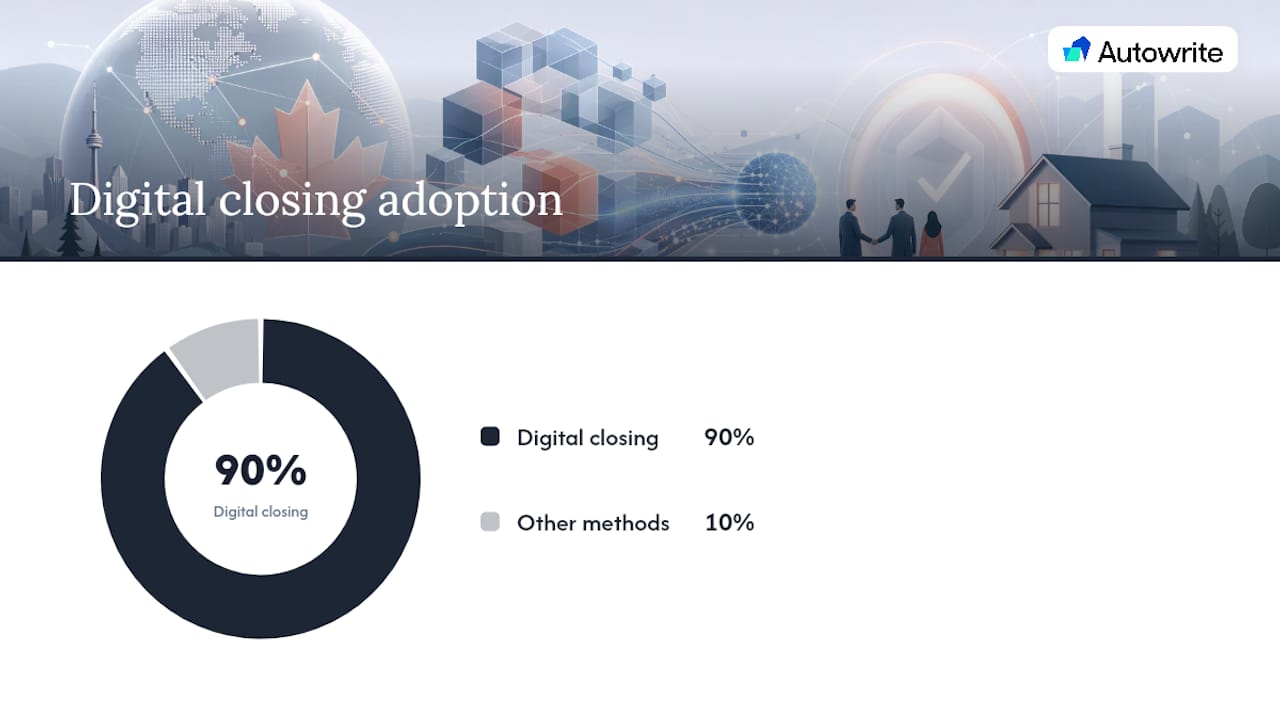
Industry reporting already shows the direction the market is moving: some form of digital closing is now used at 90% of mortgage lenders, which puts pressure on every upstream step, including document processing, to move at the same speed. Better extraction also strengthens QC and investor delivery, since a clean audit trail linking every field to its source document is exactly what investors and auditors ask for during file review.
Running a Pilot: From Proof of Concept to Full Scale
The lenders who get the most out of mortgage data extraction start narrow and expand deliberately, rather than trying to automate every document type in the file on day one.
- Pick one high-volume document type. Bank statements or pay stubs are common starting points because they're present in nearly every file and carry enough complexity to prove real value. A focused pilot on a single document type delivers the fastest measurable ROI and the clearest path to expansion.
- Define a sample size and success thresholds. Set a target accuracy rate and an acceptable exceptions rate before you start, not after you see the results.
- Build the integration checklist. Confirm how extracted data will flow into your LOS, how QC will access the audit trail, what the reviewer interface looks like for flagged exceptions, and where data residency requirements apply.
- Set governance rules. Decide your confidence thresholds for auto-approval versus human review, define escalation rules for repeated exceptions on a given field, and establish a retraining cadence as document formats shift.
- Monitor before you scale. Build a simple dashboard tracking accuracy, exceptions, and cycle time by document type so you catch drift before it becomes a QC problem.
- Add document types incrementally. Once the first document type hits its accuracy target consistently, expand to the next, layering in cross-document reconciliation (matching income across pay stubs, W-2s, and tax returns) as your pipeline matures.
The lenders who stall out usually try to automate everything at once, without a clear metric for what "working" looks like. The ones who succeed treat each new document type as its own small pilot, with its own accuracy bar, layered onto a pipeline that's already proven itself in production. Mortgage document automation built with this staged approach tends to hold up far better under real transaction volume than a big-bang rollout.
Who's Behind This Guide, and What Autowrite Brings to It
This guide reflects hands-on familiarity with how mortgage document workflows actually break down in production, not just how they're described in vendor slide decks.
Autowrite was built specifically to implement the pipeline described above for Canadian mortgage brokers: document intake and classification, schema-driven extraction, automatic population of underwriting forms, and a direct sync with the mortgage software brokers already use. Every extracted field carries the audit trail and confidence scoring this guide covers, which matters when a broker needs to show a lender exactly where a number came from.
The mortgage document checklist that maps intake requirements to Autowrite's classification engine reflects the same intake-to-verification structure outlined in the workflow section above.

Five Things to Get Right Before You Automate
Most implementation failures trace back to the same handful of mistakes. Teams skip defining success metrics before launch, then can't tell if the pilot actually worked. They try to automate every document type simultaneously instead of proving one first. They underestimate how much handwritten and low-quality scans still show up in real files, even in 2026.
Fastest ROI comes from high-volume, moderately complex documents like pay stubs and bank statements. The long tail, self-employed tax packages, unusual employment situations, multi-year reconciliations, takes longer and needs a wider confidence margin before you trust it unattended.
Governance isn't a compliance checkbox. Confidence thresholds drift as document formats change, and a pipeline without a retraining cadence degrades quietly until someone notices the exceptions rate creeping up.
— Anant Bawa
Where Autowrite Fits Into This Architecture
If you've read this far, you already know what a real extraction pipeline needs: reliable classification, schema-driven extraction with confidence scoring, an audit trail tying every field to its source page, and a clean path into the systems your team already uses. Autowrite builds all of that directly into a Canadian mortgage broker's daily workflow, so the gap between "loan file received" and "underwriting-ready file" shrinks from hours to minutes.
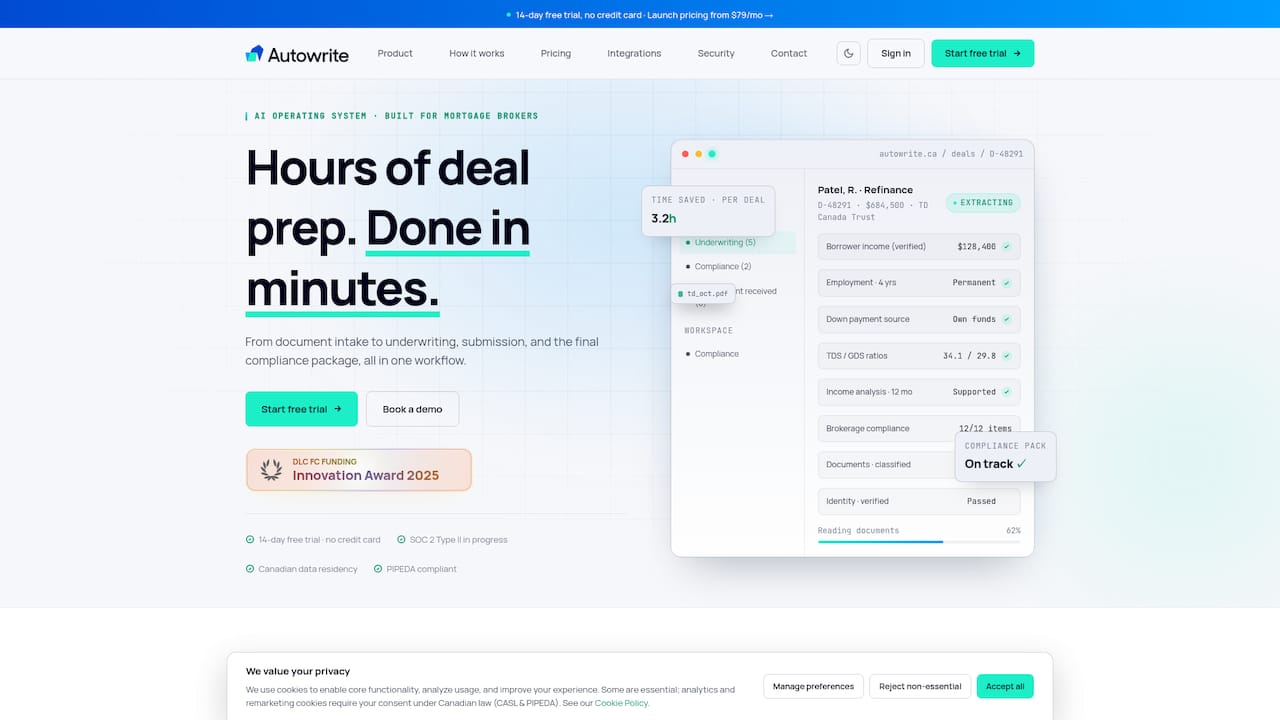
Autowrite handles intake and page-level classification automatically, applies schema-based extraction to each document type in the file, auto-fills underwriting forms with the extracted values, and syncs the results directly with the mortgage software brokers already run their pipeline through. Every field carries its own audit trail, and the platform is built with Canadian data residency in mind from the ground up. Instead of assembling a pipeline from separate tools, brokers get one system that handles intake through compliance package assembly. If the workflow in this guide sounds like what your desk needs, start a 14-day trial with Autowrite and run it against your next batch of files.
Sources
- Mortgage documents (Document Intelligence) - Azure AI
- Processing mortgage application document packages end-to-end (Landing AI)
- Mortgage Bankers Association white paper (MBA)
- Mortgage Data Extraction: A Complete Guide for 2026 (Infrrd)