
The fastest, lowest-risk way to stop re-keying borrower data and speed up closings is a purpose-built mortgage workflow platform or a vetted, field-level API integration between your CRM and loan origination system. A properly built sync moves borrower and co-borrower details, employment, income, assets, and documents automatically, cutting duplicate entry and submission delays. The right setup also keeps personal information handled under PIPEDA safeguards, with data residency options where that matters to your brokerage.
TL;DR:
- True API-driven sync can transfer detailed borrower, employment, asset, and milestone data, but complex or conditional fields may not sync reliably.
- A faulty sync often causes unnoticed errors, such as inconsistent borrower income data or missed document updates, leading to delays.
- Vendors should demonstrate reliable two-way sync with live tests, explicit field mappings, and error resolution practices before implementation.
- A staged rollout with sandbox testing, pilot, and monitoring is essential to prevent trust issues and data mismatches during deployment.
- Compliance with Canadian privacy laws requires vendors to provide specific safeguards, data residency options, and encryption details, not just marketing assurances.
Table of Contents
- What actually syncs between your CRM and loan origination system
- Why sync matters for mortgage brokers and loan officers
- Technical patterns and practical limits of CRM-LOS integrations
- Checklist: evaluation criteria to use in demos and RFPs
- Implementation steps and rollout checklist for a CRM-LOS sync
- How Autowrite approaches sync and document automation
- Typical implementation timelines and common duration benchmarks
- Total cost of ownership including licensing, setup, and maintenance fees
- When to build vs buy: a practical broker-owner perspective
- Autowrite demo and trial: next steps for teams ready to pilot sync
- FAQ
- Sources
What actually syncs between your CRM and loan origination system
Not every "integration" moves the same information, and the gap between a shallow contact sync and a true application-level sync is where most broker frustration starts. A structured mortgage application carried through an API can move far more than a simple address-book connection, according to a product release from Sync by Closer, which notes that coverage depends heavily on the API and mapping design behind it.
Here is what a mature sync typically handles:
- Borrower and co-borrower personal and contact details
- Employment history and income sources, including self-employed and variable income fields
- Assets, liabilities, and down payment sources
- Payment breakdowns and fee disclosures
- Lender and service provider relationships
- Status milestones and critical dates (conditions, closing, funding)
- Document attachments and their classification
- User and team assignments across the pipeline
API-first systems move richer structured data than batch-mapped middleware, according to the Sync by Closer release, which means a demo that only shows a name and phone number syncing is not evidence that your full application will transfer cleanly.
The fields that most often get left behind are the complicated ones: conditional fields that only appear under specific loan scenarios, line-level data buried inside a document rather than entered as a form field, and nuanced income calculations for self-employed borrowers. If a vendor cannot show you exactly how a conditional income field maps from your CRM into the corresponding LOS field, assume it does not sync, and ask them to prove otherwise in a live sandbox rather than a slide.
Why sync matters for mortgage brokers and loan officers
A sync failure rarely announces itself. It shows up as a borrower's updated income sitting in your CRM while the loan origination system still has the old number, or a processor re-typing a document that was already classified and extracted elsewhere. Every manual re-entry point is a chance for a transcription error that can delay a lender submission or trigger a condition review that did not need to happen.
A working sync changes the day-to-day in a few concrete ways:
- Fewer re-key errors because data entered once in the CRM carries through to underwriting
- Faster lender submissions since status milestones and documents move without manual handoffs
- Clearer pipeline visibility for loan officers tracking multiple files at different stages
- More consistent borrower communication, since status updates reflect the same underlying data everywhere
On the time-savings side, mortgage workflow automation that pairs document intelligence with sync has been described in Autowrite's own guide to workflow automation ROI as turning hours of manual document handling into a matter of minutes, an internal claim worth treating as illustrative rather than a universal benchmark, but a useful signal of what a well-built system targets.
The bigger payoff is compounding: a broker who closes files faster and with fewer errors can take on more volume without adding headcount, which is the real argument for treating sync as infrastructure rather than a nice-to-have feature.
Technical patterns and practical limits of CRM-LOS integrations
Understanding the plumbing matters because it tells you what to ask for in a demo, not because you need to become an engineer. Four patterns dominate the mortgage software market.
Native integrations are built and maintained by the vendor itself, pre-mapped to a specific LOS. They tend to be the most reliable because the vendor owns both sides of the connection and is responsible when the LOS changes its data model. API-based two-way syncs let data flow in both directions in near real time, provided both systems expose the right endpoints and someone has mapped the fields correctly. Middleware or connector tools sit between a CRM and LOS that do not talk to each other natively, translating data through a third layer, which adds flexibility but also adds a point of failure. File-based batch imports are the oldest and least reliable pattern: someone exports a file, someone else imports it, and anything that changes in between is missed until the next batch.
The one-way versus two-way distinction matters more than most brokers realize. A one-way sync (CRM to LOS, or the reverse) is simpler to build and audit, but it means one system is always the canonical source of truth and the other is a mirror that can drift out of date. A true two-way sync needs a conflict resolution rule: if a loan officer updates an income figure in the LOS while a processor updates the same field in the CRM, something has to decide which value wins. Ask vendors directly how their system resolves that collision, and how much latency exists between an update in one system and its appearance in the other.
Pro Tip: In a demo, change the same field in both systems within a few minutes of each other and watch which value survives: that single test reveals more about sync reliability than an hour of slides.
Common failure modes to watch for:
- Silent sync failures that leave stale data with no error alert
- Fields that map correctly in testing but break when a loan type or form changes
- Document metadata that syncs but the underlying file content does not
- Permission mismatches that block a sync for certain user roles without warning
A vendor that cannot reproduce these scenarios in a sandbox, on request, is asking you to take their reliability on faith.
Checklist: evaluation criteria to use in demos and RFPs
Before signing anything, run every finalist through the same structured test. Treat the demo as an audit, not a presentation.
- Ask for a live sandbox environment, not a recorded demo, and bring your own sample file.
- Request the full field mapping document showing every CRM field matched to its LOS counterpart.
- Test a complex scenario: a self-employed borrower with variable income and a co-borrower.
- Confirm who owns the mapping when the LOS or CRM changes its data schema.
- Ask how errors are surfaced, logged, and resolved, and request a sample error log.
- Confirm rollback procedures if a bad sync pushes incorrect data downstream.
- Ask for the vendor's service-level agreement on sync latency and uptime.
Field-level coverage to check off against each vendor:
- Borrower and co-borrower profile fields
- Employment and income, including conditional or variable income fields
- Assets and liabilities
- Document attachments and their classification accuracy
- Status milestones and critical dates
- Team and user assignments across the pipeline
Security and compliance deserve their own pass, separate from feature checklists. PIPEDA requires organizations handling personal information to demonstrate accountability and appropriate safeguards, so a vendor should be able to produce a privacy impact assessment or documented safeguards on request rather than a general assurance. If you work with federally regulated lenders, check whether OSFI supervisory expectations affect how that lender requires data to be handled or audited on your end, since lender-side requirements can shape what your sync setup needs to support.
Ask specifically about:
- Data residency: where the data physically lives and whether that aligns with your compliance obligations
- Encryption in transit and at rest
- Role-based access controls limiting who can view or edit sensitive fields
- Audit logs showing who changed what, and when
A vendor that answers these questions with specifics, not marketing language, is worth a second look. One that deflects is telling you something too.
Implementation steps and rollout checklist for a CRM-LOS sync
A rushed rollout is how brokerages end up with a sync that technically works but nobody trusts, even if they use solutions like AI-powered extraction and integration workflows to streamline their processes. A staged approach protects your pipeline while you validate the connection.
- Discovery. Inventory every field and document type currently moving between systems, and identify who owns the canonical version of each data point today.
- Mapping design. Map every required field between CRM and LOS, explicitly listing edge cases (self-employed income, multiple co-borrowers, joint assets) rather than assuming the standard mapping covers them.
- Test file preparation. Build a small set of realistic test files, including at least one deliberately messy scenario, to run through the sandbox before any real borrower data touches it.
- Sandbox testing. Run your test files through the vendor's sandbox and compare output field by field against expected results.
- Limited pilot. Roll the sync out to a small group of users or a handful of live files, keeping a manual fallback in place.
- Staged rollout. Expand to the full team only after the pilot period shows consistent results, widening access gradually rather than all at once.
- Post-launch monitoring. Track error rate, sync latency, and reconciliation discrepancies weekly for the first month, then monthly after that.
Assign clear roles before you start: someone owns the mapping document, someone owns vendor communication, and someone owns the go/no-go decision at each stage. A realistic timeline typically gives discovery and mapping a few weeks, sandbox testing a similar duration, and a pilot period lasting several weeks before full rollout, though this varies with brokerage size and how many custom fields you carry. Acceptance criteria should be set in advance: a maximum tolerable error rate, a latency ceiling, and a defined reconciliation process for any records that drift out of sync.
Skipping the pilot stage is the single most common mistake brokerages make, because it trades a few weeks of caution for months of unresolved data mismatches once everyone is relying on the new system.
How Autowrite approaches sync and document automation
We built a platform for mortgage brokers that changes how sync works in practice. It classifies incoming documents, extracts data at the line level, and auto-fills underwriting forms, then carries that structured data through native integrations with loan origination systems instead of relying on a loose contact sync. Pipeline management sits on top of the same data, so a status change in one place reflects everywhere else, and data residency is kept within Canada to align with privacy expectations brokers are held to.
Internal data from our workflow automation guide describes mortgage document processing shrinking from hours to minutes once document intelligence and sync work together, a claim we make about our own platform rather than a general industry figure.
If you are evaluating us alongside other options, ask for the same things you would ask any vendor: a sample field mapping, sandbox access with your own test file, and pilot metrics covering error rate and processing time before and after. We would rather show you those numbers directly than ask you to take them on faith.
Typical implementation timelines and common duration benchmarks
Timelines vary with brokerage size, the number of custom fields in play, and whether you are connecting to a single LOS or several. A small brokerage syncing one CRM to one LOS, with a relatively standard field set, can often move through discovery and mapping in one to two weeks, sandbox testing in a similar window, and a pilot of two to four weeks before full rollout. Larger teams with multiple lenders, custom fields, or several integrated systems should expect the mapping and testing phases to stretch longer, since every additional system adds another set of edge cases to validate.

The biggest timeline risk is not the technical build, it is the discovery phase: brokerages that skip a thorough inventory of their current fields and documents tend to discover missing mappings mid-pilot, which pushes the whole rollout back. Building in a buffer for that discovery work, rather than assuming it will be quick, is the single best way to keep a rollout on schedule.
Native integrations maintained by a vendor that already supports your specific LOS tend to move faster than a custom middleware build, simply because the field mapping work has already been done once and tested across other brokerages.
Total cost of ownership including licensing, setup, and maintenance fees
The sticker price on a CRM or automation platform is rarely the full cost of ownership. Licensing is the recurring piece, typically billed monthly or annually, and it is the easiest number to compare across vendors. Setup costs cover mapping design, sandbox testing, and staff training, and they tend to scale with how many custom fields or lender integrations you need. Maintenance is the piece brokers underestimate most: every time your LOS or CRM changes its data model, someone has to update the mapping, and a native integration maintained by the vendor shifts that burden away from your team.
As a reference point for licensing, our own pricing page lists Starter, Pro, and Legend plans with monthly fees in increasing order, an Enterprise tier priced on request, and a flat fee per additional deal beyond plan limits. Comparing those recurring costs against the staff hours currently spent on re-keying and manual document handling is the most useful way to judge whether a platform pays for itself, rather than comparing sticker price alone.
Middleware and custom-built integrations often carry lower upfront licensing but higher long-term maintenance cost, since someone on your team or a contractor has to maintain the connector whenever either system updates. That tradeoff is worth mapping out explicitly before committing to either path.
When to build vs buy: a practical broker-owner perspective
Most brokerages overestimate how much control a custom-built integration actually gives them and underestimate how much it costs to keep running. Building your own CRM-to-LOS connection means owning every mapping update, every API change on either side, and every conflict resolution rule indefinitely, which is a real commitment, not a one-time project.
For most small and mid-sized brokerages, buying a purpose-built platform is the more defensible choice: it shifts the maintenance burden to a vendor whose business depends on keeping the sync working, and it gets you to a usable state faster. Building makes sense only if you have dedicated engineering capacity and a long-term plan to staff it, year after year, not just for the initial build. A platform like ours is built around that buy case specifically for brokers who want the sync handled rather than owned.
— Anant Bawa
Autowrite demo and trial: next steps for teams ready to pilot sync
Seeing how your own files behave matters more than any feature list, which is why we structure demos around your data rather than a canned script. A pilot with us typically covers a sample mapping run against your actual field set, sandbox integration testing with real loan scenarios, and a defined set of pilot metrics, error rate, processing time, and sync latency, so you have numbers to compare against your current process.
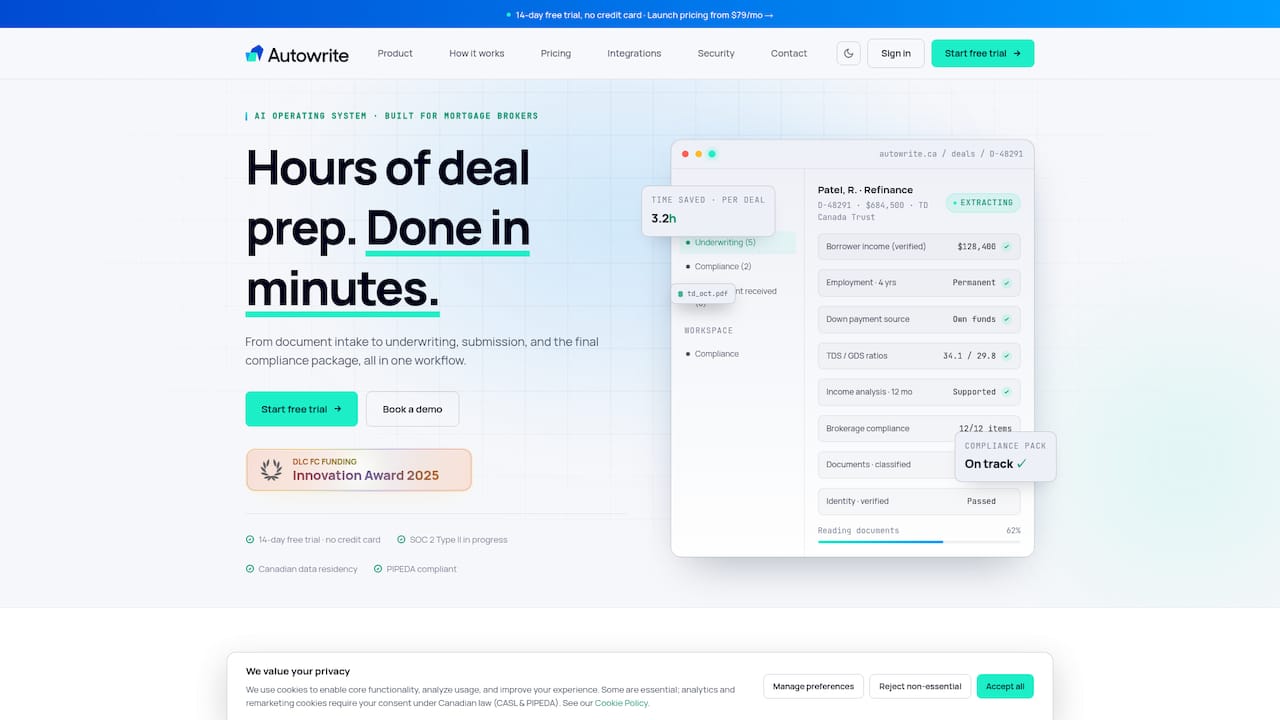
Our pricing page outlines the Starter, Pro, Legend, and Enterprise tiers, and every plan starts with a 14-day free trial so you can run that pilot before committing. To get started:
- Gather a small set of real borrower files, including at least one complex income scenario
- Request sandbox access through our product page and bring your field mapping questions
- Set a two to four week pilot window and track error rate and processing time against your current workflow
If you want a broader view of how document automation fits alongside sync, our guide to mortgage document automation covers the extraction and classification side in more depth.
FAQ
What is the best mortgage servicing software?
There is no single "best" option; the right servicing software depends on which loan origination system you use, your lender relationships, and how much field-level sync you need. Brokers should evaluate servicing platforms on the same criteria used for CRM-LOS sync: data coverage, integration type, and compliance support, rather than relying on general rankings.
What software do mortgage brokers use?
Mortgage brokers typically use a combination of CRM software for pipeline and client management, a loan origination system required by their lenders, and increasingly a document automation layer, like Autowrite, that handles intake, classification, and sync between the two. The right combination depends on brokerage size, lender mix, and how much manual re-entry the team is trying to eliminate.
Which CRM is best for mortgage brokers?
The strongest mortgage CRM for a given brokerage is the one with the deepest, verified field-level sync to that brokerage's specific loan origination system, not the one with the longest feature list. Testing a vendor's sync in a live sandbox with real borrower scenarios, rather than trusting a demo script, is the most reliable way to judge fit.
What software do loan processors use?
Loan processors generally work inside the loan origination system itself, supplemented by document management tools and CRM data that flows in from the broker's intake process. Processors benefit most when document classification and extraction happen automatically upstream, since that reduces the manual re-keying that otherwise falls on their desk.
Does mortgage software sync comply with Canadian privacy law?
Compliance depends on the specific vendor's practices, not the category of software; PIPEDA requires accountability, consent, and safeguards for any organization handling personal information in Canada. Brokers should ask vendors directly for evidence of safeguards, such as a privacy impact assessment, rather than assuming compliance from marketing claims alone.
Sources
- Sync by Closer — product release (LawLabs)
- The Personal Information Protection and Electronic Documents Act (PIPEDA) — Office of the Privacy Commissioner of Canada
- Office of the Superintendent of Financial Institutions (OSFI)