
You have two paths into Filogix: a CSV import for a quick, low-lift start, or the Filogix Expert/Expert Pro API for an automated, continual sync. For any brokerage running real deal volume, the API is the right production target, but it requires Filogix-issued UAT and production tokens, plus careful field mapping before it's reliable. This guide walks through requesting access, mapping data, testing in UAT, and troubleshooting the errors that actually show up.
TL;DR:
- API access requires Filogix-issued UAT and production tokens, which involve delays and must be requested early due to support-led issuance.
- The recommended sync pattern is an incremental JSON pull, with a manual "sync now" option built before production to prevent disruptions.
- Most core fields like client name, property address, and loan amount map directly, but derived fields like LTV and posted rate need calculation or manual verification.
- Proper credentials include an
x-auth-tokenheader and a unique username; production tokens are account-specific, not self-generable, and must be rotated regularly.- Successful pre-live testing in UAT involves authentication checks, cross-deal-type validation, and verifying the manual override without creating duplicates.
Table of Contents
- How to Set Up a Filogix Integration Step by Step
- Which Filogix Fields Map Cleanly, and Which Need Work?
- What Credentials Do You Need for the Filogix Expert Pro API?
- How Do You Test and Validate a Filogix Sync Before Going Live?
- Common Filogix Integration Errors and How to Fix Them
- How Autowrite Handles What Filogix Leaves Behind
- Who Should Own the Integration, and How Should You Monitor It?
- Autowrite: What Comes After Your Filogix Import
- Where to Find the Official Filogix Documentation
- Sources
- FAQ
How to Set Up a Filogix Integration Step by Step
Before writing a single line of mapping logic, decide whether CSV or API fits your volume and service expectations; for guidance on choosing between brokers and banks, see this Bay Area Buyer’s Guide. A brokerage closing a handful of deals a week can run on manual CSV exports. A shop processing dozens of deals daily, or one syncing into a CRM that needs near-real-time status, needs the API.
- Scope the integration. Confirm deal volume, required sync frequency, and which fields your CRM actually needs from Filogix.
- Request access. Contact Filogix support to request UAT credentials first, then production tokens once testing passes. Production tokens are account-specific and are not available through self-service, so build in lead time here rather than assuming same-day turnaround.
- Pull a sample. Export a sample CSV or request the API schema documentation so your team can see real field names and formats before building anything.
- Build a canonical schema. Create an internal data model that your CRM understands, independent of whatever Filogix calls each field. This insulates your CRM from future API changes.
- Implement the sync pattern. The reliable approach is a two-step incremental pull: call the Deal List endpoint for files that changed, then fetch Deal Data for each changed file and upsert it into your system. This replaces bulk CSV exports with structured, incremental JSON updates and cuts the bandwidth a full export would otherwise burn.
- Set a sync cadence and a manual override. Schedule automated pulls regularly for active pipelines, but add a "sync now" button so a broker or admin can force an immediate pull when a deal status changes and can't wait for the next cycle.
- Plan your rollback. Keep CSV export as a documented fallback in case the API connection fails during cutover, so nothing halts your pipeline.
Pro Tip: Build the "sync now" override before you go live, not after your first production incident. It's the cheapest insurance you'll buy in this whole project.
Which Filogix Fields Map Cleanly, and Which Need Work?
Most identity and transaction fields come through cleanly on either integration method: client name, property address, loan amount, mortgage type, and key milestone dates (application, approval, funding). These map almost one to one into a standard CRM schema.
Other fields need derivation or manual verification. Loan-to-value ratio, posted rate versus discounted rate, and insurance status are common gaps, especially when working from a consolidated CSV export rather than the API. Consolidated CSVs can omit fields entirely, which is why some platforms run scraper tools against the portal to pull extras like credit score or payment frequency, then calculate LTV and similar derived fields after import.
A workable mapping approach looks like this:
- Canonical field:
loan_to_value→ Filogix source: loan amount ÷ appraised value → Transformation: calculate post-import, flag if either input is missing. - Canonical field:
posted_rate→ Filogix source: rate table field → Transformation: cross-check against lender rate sheet, don't trust blindly. - Canonical field:
client_id→ Filogix source: Filogix file ID → Transformation: use directly as your upsert key.
Archive the raw JSON payload from every API pull before transformation. When a mapping bug surfaces three weeks later, that archive is the only way to reconstruct what Filogix actually sent.
What Credentials Do You Need for the Filogix Expert Pro API?
The Filogix Expert Pro Partner API authenticates requests using an x-auth-token header combined with a {username} path parameter tied to your account. You cannot generate this token yourself.
-
UAT and production run on separate base URLs, and the documentation explicitly recommends testing in UAT before requesting production access.
-
Production tokens are account-specific and must come from Filogix support directly. There is no self-service token generator.
-
Rotate tokens periodically and store them in a secrets' manager, not a config file committed to your repository.
-
Limit token scope to what the integration actually needs. Don't request broader account access than the sync requires.
Fast fact: because production credentials aren't self-service, the single biggest delay teams hit isn't the code. It's waiting on Filogix support to issue tokens, which is why requesting UAT and production access should happen at the very start of your project timeline, not after development is finished.
How Do You Test and Validate a Filogix Sync Before Going Live?
Run every check below in UAT before requesting production tokens. Skipping this step is how brokerages end up debugging live client data.
- Smoke-test authentication. Confirm the token header and username parameter both work against the UAT base URL.
- Test the incremental pattern. Pull the Deal List endpoint, confirm it returns changed files, then pull Deal Data for each and check the payload against your canonical schema.
- Test across deal types. Purchases, refinances, renewals, and multi-borrower files often expose mapping gaps single-borrower purchase deals never surface.
- Test the manual override. Trigger "sync now" and confirm it doesn't create duplicate records when it overlaps with a scheduled pull.
- Watch your logs. Confirm failed jobs trigger an alert, not silence. A sync that fails quietly is worse than one that fails loudly.
Common Filogix Integration Errors and How to Fix Them
Authentication errors are usually a formatting problem, not a permissions' problem. Double check the header name is exactly x-auth-token, the token itself hasn't been truncated, and the {username} parameter matches your account name character for character.
Rate limiting shows up as intermittent failures under load. Handle it with exponential backoff, chunk larger pulls instead of requesting everything at once, and alert your team when retries exhaust rather than letting a job fail silently overnight.
- Missing optional fields: build fallback logic that flags the record for manual review instead of blocking the entire import.
- Duplicate records: key every upsert to the Filogix file ID, not a generated internal ID, so re-running a sync never creates a second copy of the same deal.
Pro Tip: Keep a dead-letter queue for records that fail transformation. Reviewing five flagged records a week beats discovering fifty broken ones during month-end reconciliation.
How Autowrite Handles What Filogix Leaves Behind
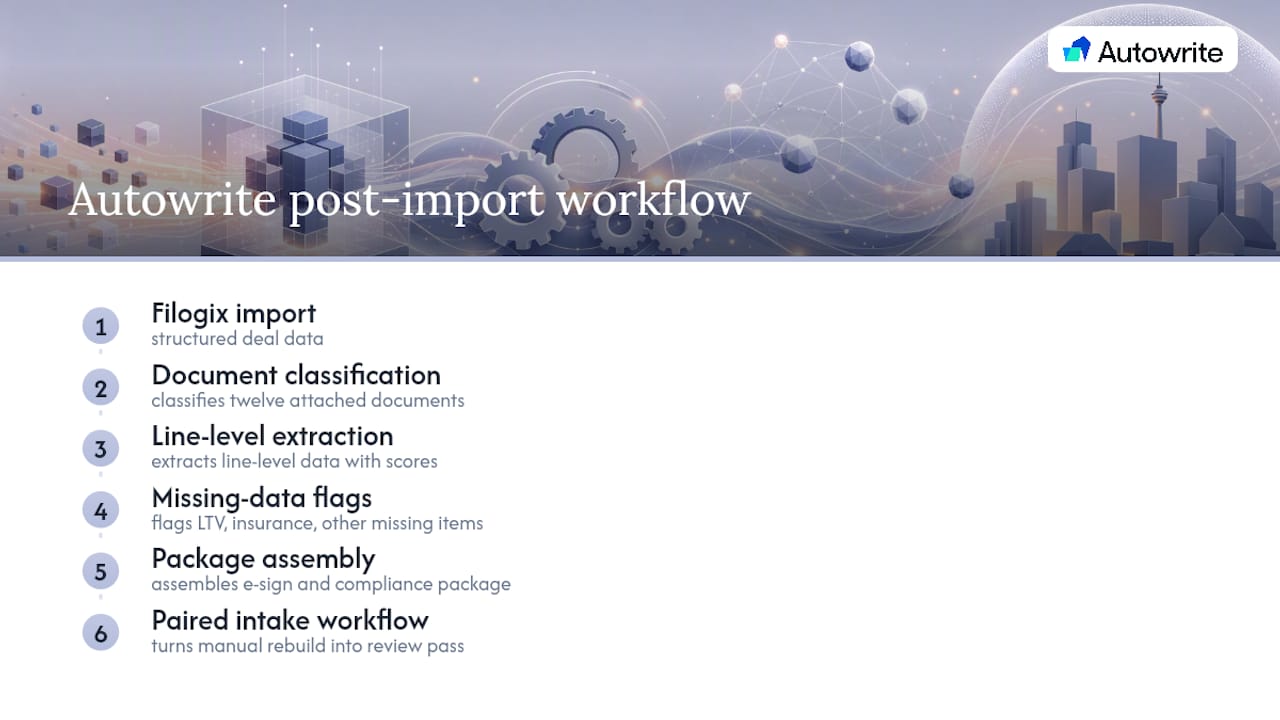
A Filogix import gets you structured deal data. It doesn't classify the twelve documents attached to that file or extract the numbers buried inside them. That gap is where most brokerage admin time actually goes.
Autowrite picks up right after the import: it classifies incoming documents, extracts line-level data with visible confidence scoring, flags whatever Filogix couldn't supply (an LTV that needs recalculating, an insurance status marked incomplete), and assembles the e-sign and compliance package around what's left. Paired with a documented mortgage document intake workflow, it turns the manual cleanup step after every sync into something closer to a review pass than a rebuild.
Who Should Own the Integration, and How Should You Monitor It?
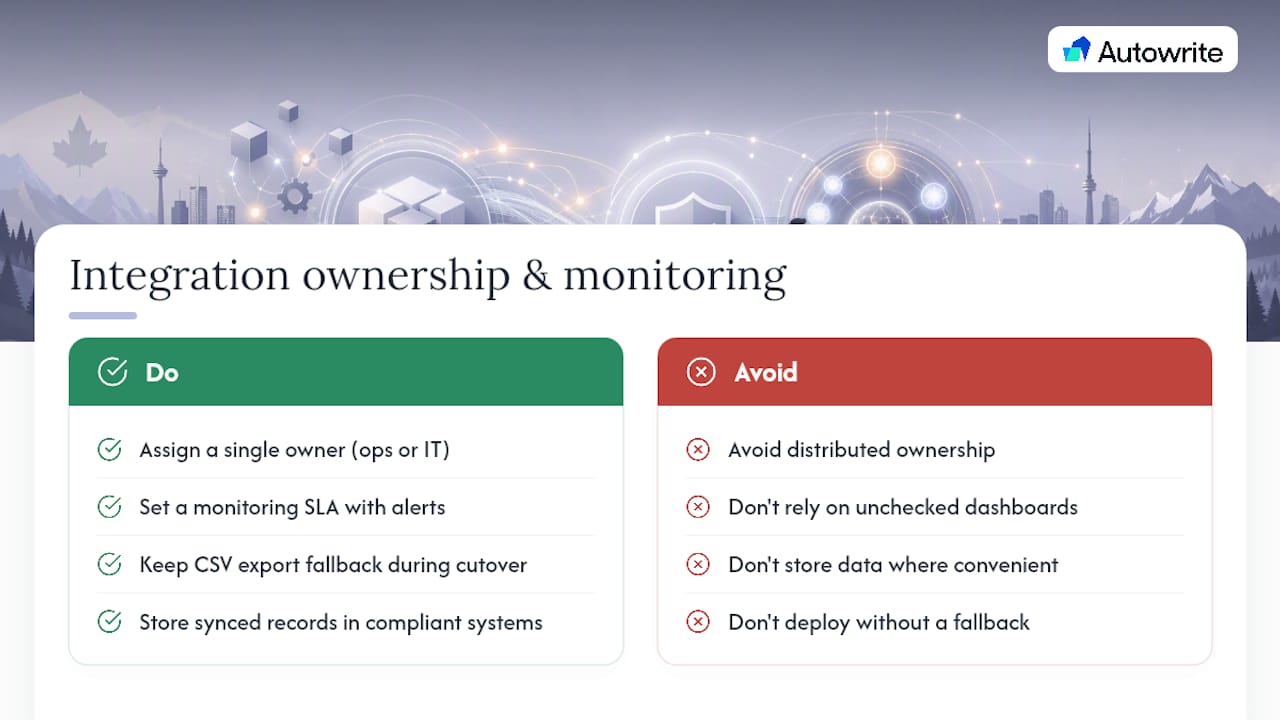
Someone specific needs to own field mapping and sync monitoring, whether that's an ops manager or IT lead. Distributed ownership is how mapping drift and silent failures creep in.
Set a monitoring SLA with real alerting, not a dashboard nobody checks, and keep a CSV export fallback ready during any production cutover. Given Canadian data residency and compliance obligations, store synced records only in systems that meet those requirements, not wherever is most convenient at the time.
Autowrite: What Comes After Your Filogix Import
Getting the sync working is half the job. What happens to the documents attached to every one of those deals is the other half, and that's where Autowrite picks up. Once a deal lands from Filogix, Autowrite classifies the attached documents, extracts the data hiding inside them, and flags whatever's missing so nobody's chasing paperwork manually.
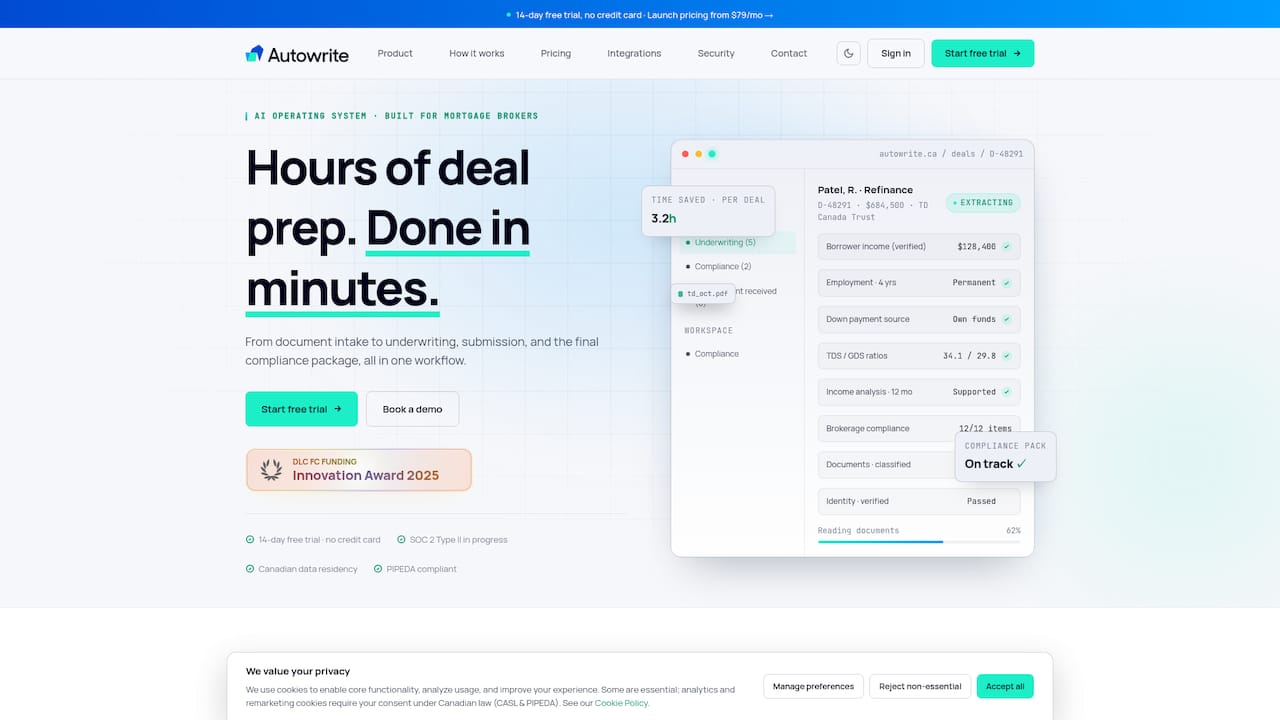
Plans run from Starter at $149 per month up through Pro, Legend, and Enterprise, and every plan includes a 14-day free trial, so you can test it against your own deal flow before committing. If your team is already investing in a proper Filogix sync, pairing it with automated document handling is the part that actually pays back the integration effort. Check the Autowrite pricing page and start a trial against your next batch of imported deals.
Where to Find the Official Filogix Documentation
- Expert Pro Partner API Documentation (endpoints, tokens, UAT/production URLs)
- Filogix lender gateway portal
- Salesforce to Filogix Expert integration (AppExchange)
- Ownwell Filogix data mapping guide
Sources
- Expert Pro Partner API Documentation
- FileLogix API Integration: Automate CSV Exports & Sync
- Salesforce to Filogix Expert Two Way Integration | Salesforce AppExchange
- Filogix Data Mapping | Ownwell Help Center
FAQ
How Much Does a Mortgage Broker Make on a $500,000 Mortgage?
Commission varies by lender and product, typically calculated as a percentage of the mortgage amount rather than a flat fee. Brokers should check their specific lender agreements, since rates differ across institutions and mortgage types.
Is It Cheaper to Use a Mortgage Broker or Go Directly to a Bank?
For most borrowers, using a broker costs nothing extra since brokers are typically paid by the lender, not the client. The advantage is comparison shopping across multiple lenders instead of accepting whatever rate a single bank offers.
How Much Do Mortgage Agents Make in Canada?
Mortgage agent income in Canada depends heavily on deal volume, commission splits with their brokerage, and the lenders they work with, so earnings vary widely across the industry. Agents closing higher volumes through efficient workflows, including automated document handling, generally spend less time on admin and more time on revenue-generating client work.
Does Autowrite Work With Filogix Imports?
Yes. Autowrite is built to pick up after a Filogix sync, classifying documents and extracting data from the files attached to each imported deal. Pricing starts at $149 per month with a 14-day free trial available.