

For a broker site, start with the CMHC, Ratehub, MoneySense and MyMoneyMap calculators as linkable or embeddable widgets, and use Calculator.net and DrCalculator when you need flexible amortization or prepayment views. Scotiabank adds a lender-style frame of reference. Favour tools that reflect CMHC insurance rules and the federal stress test. Jump to the comparison for embedding and lead-capture detail.
TL;DR:
- Federally regulated lenders use a qualifying rate, with GDS capped at 39% and TDS at 44%; calculators that omit it can produce different estimates.
- For down payments below 20%, confirm automatic default insurance; premiums range from 0.6% to 4.5%, depending on down payment size.
- Most free widgets do not send client results to brokers, so pair the calculator with a form and route submissions by email, CSV, or webhook.
- Confirm embedding rights before publishing, preserve calculation fields, and test the page on real phones for clipped content or internal scrollbars.
- Treat CMHC outputs as illustrative, verify results before advising clients, and record each run and tool version to resolve later disputes.
Table of Contents
- Which free mortgage calculators and templates should you use?
- How do you choose a calculator for your brokerage site?
- How do you embed, brand and connect a calculator?
- What should you verify about accuracy and compliance?
- How do calculators fit into a real broker workflow?
- How can you act on calculator leads faster?
- FAQ
- Sources
Which free mortgage calculators and templates should you use?
Most free calculators work as linkable pages or iframe-style widgets. Always confirm the embed terms with each provider before you publish one on your site. Several of the tools below are better treated as client resources you link to than as widgets you host.
- CMHC mortgage calculator: The mortgage payment calculator estimates payments with amortization and payment-frequency options, and includes mortgage insurance premiums where applicable for down payments under 20% on homes priced below $1,500,000. It is the strongest Canada-specific baseline. CMHC also publishes a debt service calculator that shows GDS and TDS.
- Ratehub mortgage calculator: Consider it as an option, and verify its features and assumptions with the provider before recommending it to clients.
- Scotiabank mortgage calculator: Consider it as a client resource, and verify its assumptions before comparing its results with your own.
- MoneySense mortgage calculator: Consider linking to it as a client resource after checking its assumptions and features.
- MyMoneyMap mortgage tools: A Canadian suite of tools covering home affordability and mortgage payments in one place.
- Calculator.net mortgage calculator: If considering it, verify that its assumptions and settings match Canadian practice before sharing results with clients.
- DrCalculator mortgage payoff calculator: If considering it, verify its assumptions before using it to illustrate prepayment scenarios.
- For a Canadian brokerage site, prioritize Canadian calculators and verify that their assumptions reflect Canadian rules.
Check with each provider whether its calculator supports lead capture. You can also use a form or workflow alongside a calculator.
How do you choose a calculator for your brokerage site?
Work through this checklist before anything goes live:
- Check the stress test and debt ratios. Federally regulated lenders must apply a stress test, and the OSFI guidance puts GDS at no more than 39% and TDS at no more than 44%. If a calculator ignores the qualifying rate, its estimates may differ from those used by a lender.
- Confirm insurance treatment. For down payments under 20%, the tool should add default insurance premiums automatically.
- Plan for lead capture. Decide where a client's inputs and email land, because most free widgets do not send results to you.
- Test on a phone. Load the page on a small screen and look for clipped content or internal scrollbars.
- Review branding options. Can you relabel fields and match your colours without touching the math?
- Look for a maintenance policy. A tool with documented updates is safer than one with no visible date.
Pro Tip: Compare results from calculators using the same inputs. Differences can point to assumptions worth checking.
How do you embed, brand and connect a calculator?
Whatever the platform, the steps are similar:
- Embed: Paste the provider's iframe or snippet into a custom HTML block (WordPress, most site builders) or directly into a static page. If the provider offers only a link, link to it or build a downloadable spreadsheet template instead.
- Brand: Change labels, headings and colours around the tool. Do not alter the calculation logic or hide fields that affect the result, such as down payment or amortization.
- Capture: Add a short form after the result asking for name, email and phone. Route submissions by email, CSV export or a webhook into your CRM. Our post on auto-filling lender forms shows how a broker CSV template feeds the next step.
- Fix mobile: Use a dynamic iframe resizer script or responsive CSS, and set a generous default height so no inner scrollbar appears.
- Go-live checklist: test on iOS and Android, confirm form delivery, add a disclaimer that results are estimates, and note the date you last checked the assumptions.
If you are planning a wider setup, our guide to a mortgage tech stack covers where calculators fit.
What should you verify about accuracy and compliance?
Start with the rules. The stress test, the 39% GDS and 44% TDS reference points and the insurance premium bands are all set out in the OSFI guidance. The Financial Consumer Agency of Canada advises that tools reflect current stress-test requirements. CMHC remains the practical baseline, and it notes that its payment tools are illustrative, so verify results before advising a client. For the ratio math itself, see how to calculate GDS and TDS.

Mortgage default insurance premiums range from 0.6% to 4.5% depending on down payment size, according to OSFI. Keep a record of each client run and the tool version, so you can resolve disputes later.
How do calculators fit into a real broker workflow?
I treat a calculator as a conversation starter, not an answer. A homepage widget captures early interest, a spreadsheet works in client meetings, and an amortization chart helps in follow-up emails. Potential workflow issues include failing to save inputs, leaving outdated stress-test assumptions on the page, and offering no way to leave contact details. Addressing them may make lead follow-up easier.
— Anant Bawa
How can you act on calculator leads faster?
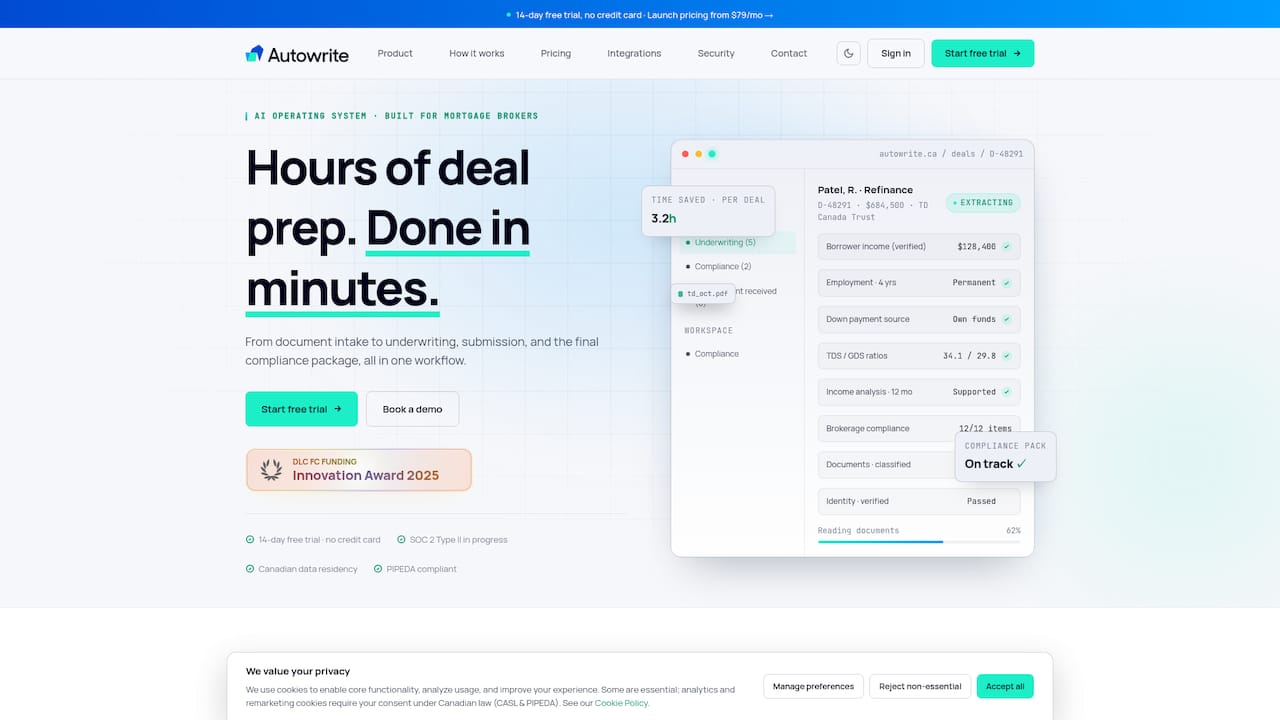
Once a calculator run becomes a lead, the real work is paperwork. We built Autowrite to take client documents and turn them into underwriter-ready files.
- We help you treat each calculator run as a qualified lead.
- We cut the admin time between first contact and an underwriting-ready file.
- You can see how it works on our pricing page or check the page for current trial availability.
FAQ
Are there free mortgage calculators brokers can embed?
Yes, but embed rights vary by provider, so confirm each tool's terms first. Where embedding is not offered, link to the calculator or build your own downloadable template.
Which calculator includes mortgage insurance automatically?
The CMHC mortgage payment calculator includes mortgage insurance premiums automatically where applicable for down payments under 20%. That makes it a reliable baseline for high-ratio scenarios.
How do I check a calculator's GDS and TDS logic?
Compare its output against CMHC's debt service calculator using the same inputs. If ratios or the qualifying rate differ, the tool may be outdated.
How do I make an embedded calculator work on mobile?
Use a dynamic iframe resizer or responsive CSS, and set a sensible default height. Then test on real phones to confirm there are no internal scrollbars.
Sources
- Osfi-bsif
- Canada
- Mortgage payment calculator | Estimate monthly payments | CMHC
- Debt Service Calculator | CMHC