
Mortgage data syncing means keeping application and loan-file data consistent across every system a brokerage uses, from intake to underwriting to lender submission. The recommended approach for Canadian brokerages is an API and webhook-first sync that captures consent at the point of collection and logs every data movement for audit purposes. Platforms built for the Canadian market, including Autowrite, already structure their integrations around these requirements.
TL;DR:
- Capture timestamped consent at every collection, restrict sensitive fields by staff role, encrypt transfers and storage, and log access, credit pulls, and sync events.
- Use secure batch transfer for a small brokerage with a few tools; larger teams linking CRMs, origination systems, and lender portals may benefit from middleware.
- Map fields before launch, make Social Insurance Number collection optional, use tokenized credit references with download limits, and attach consent records to each file.
- Pilot 15 to 20 files alongside manual processing, validate field reconciliation, then monitor record counts, credit pull volumes, and unusual downloads daily.
Table of Contents
- Why syncing application and loan-file data reduces admin time and error
- Compliance and privacy must-haves for synced mortgage data
- Integration patterns: API, secure batch, and middleware compared
- Data model and field mapping for mortgage sync projects
- Step-by-step implementation checklist: pilot through rollout
- Validation, monitoring, and keeping an audit trail
- Lessons from Canadian mortgage data sync implementations
- How Autowrite supports secure mortgage data syncing
- FAQ
- Sources
Why syncing application and loan-file data reduces admin time and error
When a client's income, employment, and asset details live in one synced record instead of three separate spreadsheets, your team stops re-typing the same numbers into the loan origination system, the CRM, and the lender portal. That repetition is where most transcription errors creep in, and those errors are what trigger delays at underwriting.
Synced data also speeds up submission. A file that moves from intake to lender-ready without manual re-entry clears your pipeline faster, which means more closed deals per month without adding staff.
- Fewer duplicate entries across intake, underwriting, and lender submission
- Faster, cleaner lender submissions with fewer back-and-forth corrections
- More deal capacity without proportional headcount growth
Canadian requirements shape how you build this. Lender-specific submission formats vary, and data residency expectations mean you need to confirm where your sync infrastructure stores and processes client records.
Pro Tip: Before choosing a sync method, map out which lenders you submit to most often and check whether they publish an API spec, since that determines your fastest integration path.
Compliance and privacy must-haves for synced mortgage data
Any sync involving client information falls under the Personal Information Protection and Electronic Documents Act, which governs how private-sector organizations collect, use, and disclose personal information in commercial activities. PIPEDA defines personal information broadly, covering income, employment, and credit details, so a sync pipeline touching those fields needs consent and secure handling built in from the start.

An OPC audit of mortgage brokers found unsecured file storage and no proactive monitoring of credit-report access, which is exactly the gap a sync system needs to close rather than repeat.
Build these controls into any syncing project:
- Capture consent with a recorded method and timestamp at collection
- Apply role-based access so only authorized staff reach sensitive fields
- Encrypt data in transit and at rest across every connected system
- Limit and log who can pull or download credit reports
- Maintain audit logs for every sync event and data access
- Set retention policies that align with how long you actually need each record
Our own PIPEDA compliance checklist for mortgage brokerages walks through how to apply these controls without slowing down your intake process.
Integration patterns: API, secure batch, and middleware compared
Three technical patterns dominate mortgage data syncing, and the right one depends on your brokerage's size and existing systems.
- API and webhooks sync records in near real time and cut down on duplicate entry, but they require developer resources to build and maintain the connections.
- Secure batch transfer over SFTP works well for older systems that don't expose an API, with lower engineering overhead but slower, periodic updates instead of live sync.
- Middleware and ETL platforms sit between your systems, normalizing data formats so you avoid building a separate point-to-point connection for every tool in your stack.
A solo agent running two or three core tools can often get by with a lighter batch process. A multi-agent brokerage juggling a CRM, an origination system, and several lender portals usually gets more value from middleware, since it avoids a tangle of one-off integrations that break every time a vendor updates their API. Our guide on building a Canadian mortgage tech stack in four weeks breaks down how to sequence these choices by brokerage size.
Data model and field mapping for mortgage sync projects
Before any integration goes live, you need a canonical list of which fields move between systems and which ones carry special handling rules.
Core fields to sync include client identifiers, contact information, employment history, income, assets and liabilities, and lender submission IDs. A few fields need extra care: Social Insurance Number collection should be optional and clearly documented per OPC recommendations, credit report access should use tokenized references with download limits rather than raw file copies, and e-signature package IDs and consent records need to travel with the file, not sit in a separate system.
- Use one canonical field name across every connected system to avoid mismatched mappings
- Normalize dates to a single format and store currency values explicitly in CAD
- Designate a single source-of-truth system for each field to prevent conflicting updates
- Version your mapping document so changes are traceable over time
Pro Tip: Treat the system where an application is first created as the source of truth for that file. It keeps your reconciliation logic simple when the same field exists in two places.
Step-by-step implementation checklist: pilot through rollout
A phased rollout keeps your sync project low-risk and gives you a clean audit trail from day one.
- Inventory every system holding client data and pick your source-of-truth for each field.
- Confirm your consent capture method and set a retention policy before any data moves.
- Assign an internal owner responsible for the sync project and its ongoing monitoring.
- Run a pilot of 15 to 20 files, building field mappings and running them in parallel with your existing manual process.
- Validate field-level reconciliation on pilot files and test your alerting and credit-pull limits.
- Roll out in phases, training users in small groups before full adoption.
- Keep a documented rollback plan in case the sync needs to be paused.
- Update your SOPs and retention schedules, and preserve audit evidence from the pilot.
Our post on piloting 15 to 20 files to validate a paperless brokerage covers what to check for at each stage of that pilot.
Validation, monitoring, and keeping an audit trail
Once syncing is live, ongoing monitoring is what catches problems before they become compliance incidents. Watch record counts and field-level diffs between systems daily, track credit-pull volumes per user, and flag unusual download patterns the moment they appear.
- Set threshold alerts for any user pulling an unusual number of credit reports in a short window
- Run daily reconciliation reports comparing record counts across synced systems
- Use anomaly detection to catch access patterns that don't match normal file activity
The same OPC audit that flagged unsecured storage also found brokers lacked the capacity for proactive monitoring or download limits, which is precisely the gap these alerts are meant to close.
Store audit logs in a format you can produce quickly if OPC, FINTRAC, or a provincial regulator asks for them. Our piece on passing FINTRAC audits with compliance automation covers how to structure those records for fast retrieval.
Lessons from Canadian mortgage data sync implementations

The most common mistake we see is treating consent as a one-time checkbox instead of a timestamped record tied to each data collection event. A close second is incomplete field mapping that leaves gaps discovered only after a client complains about mismatched information between systems.
Pilot small, keep a human reviewing exceptions during early rollout, and log every sync event from the start rather than adding logging later. For brokers mapping lender submission requirements into their sync, our post on OSFI and FSRA ready underwriting documents outlines the seven core documents lenders expect.
— Anant Bawa
How Autowrite supports secure mortgage data syncing
We built our platform around the exact controls this guide describes, so Canadian brokerages don't have to assemble them from separate tools. Our document intelligence classifies and extracts data automatically, then syncs it across your brokerage software with the consent capture and audit logging that PIPEDA and the OPC's findings call for.
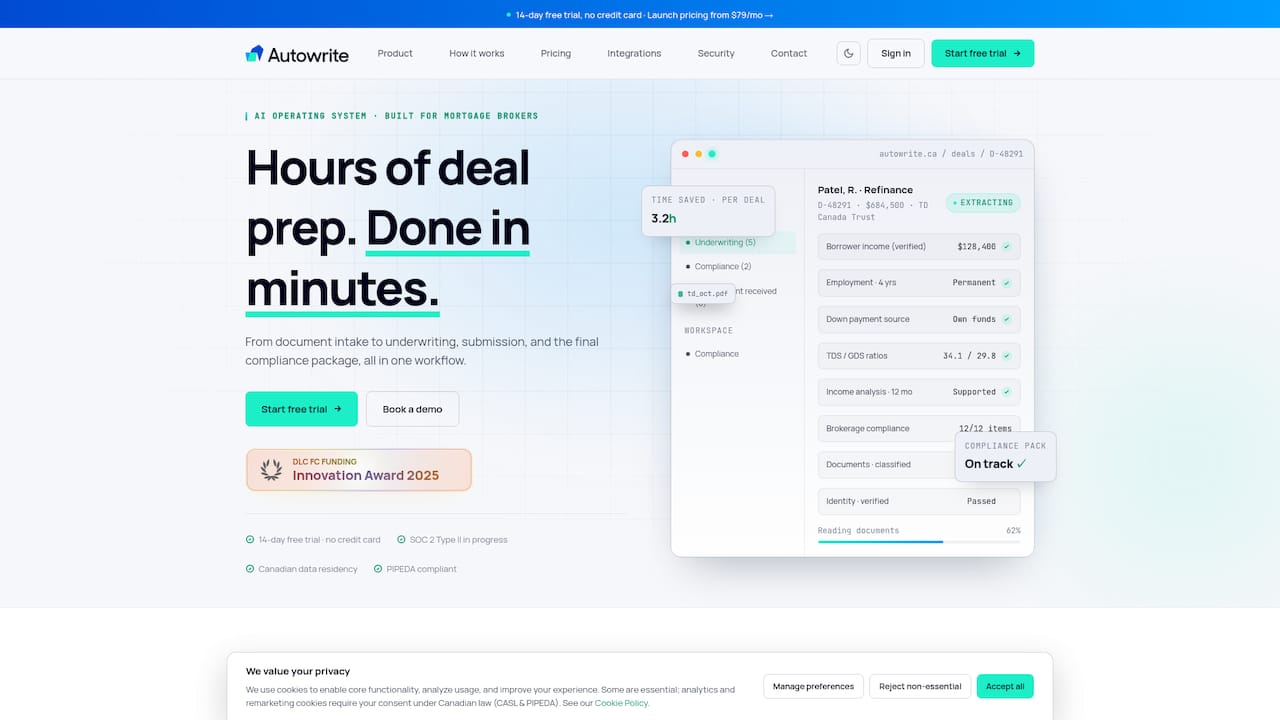
- Document classification and extraction that feeds directly into your synced loan files
- Integrations that move data across your existing brokerage systems without manual re-entry
- Consent timestamps and audit logs built into every data transfer
Plans start with Starter at $149 per month, with Pro and Legend tiers available as your deal volume grows. Start a 14-day trial to see how syncing fits your pipeline before you commit.
FAQ
What does mortgage data syncing mean for brokers?
Mortgage data syncing means keeping application and loan-file data consistent across every system your brokerage uses, from your CRM to your origination platform to lender portals. It eliminates duplicate manual entry and reduces the transcription errors that slow down underwriting.
Does PIPEDA apply to synced mortgage data?
Yes. PIPEDA applies to private-sector organizations handling personal information in commercial activities, and it defines personal information broadly enough to cover income, employment, and credit data moved through a sync pipeline.
Which integration method is best for a small brokerage?
A small brokerage with a handful of core tools often starts with secure batch transfer over SFTP, since it requires less engineering overhead than building live API connections. As volume grows, middleware or API-based sync typically becomes worth the investment.
How many files should a sync pilot include?
A pilot of 15 to 20 files is enough to validate field mappings, test reconciliation, and catch exception handling issues before a full rollout. This range comes from common implementation practice for paperless brokerage projects, including our own pilot guidance.
What does Autowrite cost for a brokerage?
Autowrite's Starter plan is $149 per month, Pro is $269 per month, and Legend is $499 per month, with Enterprise pricing available on request. An additional deal fee of $20 applies per deal beyond plan limits.
Sources
For compliance requirements, see the PIPEDA overview from the Office of the Privacy Commissioner and the OPC's 2010 audit of mortgage brokers. Brokers weighing portability scenarios during a sync project may also find this overview of mortgage portability in Toronto and Innisfil useful background.
- PIPEDA requirements in brief - Office of the Privacy Commissioner of Canada