

The best AI tool for a Canadian mortgage broker in 2026 is the one that removes the most paperwork per week without putting client data at risk. For most brokers that means a purpose-built document automation platform first, then a small set of assistants for notes, email, calls and follow-up. Below are the ten kinds of tools worth considering, what each one is good for, and how to check them before client files go anywhere near them.
TL;DR
- Start where the hours go: document intake, classification, data extraction and form filling. That is where a purpose-built platform saves the most time.
- General assistants, note-takers, AI phone answering and CRM add-ons help around the edges, but none of them replaces a mortgage-specific workflow.
- Ask every vendor about Canadian data residency, PIPEDA alignment, lender and software integrations, and how a human reviews the output.
- Autowrite starts at $99 per month, with a 14-day free trial, and is built for Canadian brokers, agents and brokerage owners.
- AI output can be wrong. Review everything before it reaches a lender or a client.
Table of Contents
- How we chose these ten
- The ten tools at a glance
- 1. A mortgage document automation platform: Autowrite
- 2. A general AI assistant
- 3. An AI meeting note-taker
- 4. AI phone answering
- 5. A CRM with AI features
- 6. A digital application and origination portal
- 7. E-signature with AI support
- 8. An AI email and writing assistant
- 9. AI content and social tools
- 10. AI scheduling and reminder tools
- How to vet any AI tool before client data goes in
- Does it differ by province?
- Our perspective
- Try the document workflow first
- A simple rollout plan
- FAQ
- Sources
How we chose these ten
A mortgage file is not a generic business document. It has pay stubs, T4s, notices of assessment, bank statements, gift letters, purchase agreements, MLS listings and lender-specific forms. A tool earns a place on this list if it helps with one of those realities, or with the work around them: calls, follow-up, notes and marketing.
We scored each type on five things:
- Fit with Canadian files. Does it handle Canadian documents and Canadian terminology?
- Time saved on real tasks. Intake, extraction and form filling count for more than a clever chatbot.
- Integration. Does it connect with the mortgage software and lender portals you already use?
- Privacy and data residency. Where does client data live, and who can see it?
- Human review. Can you see what the AI did and correct it before anything is submitted?
Because tools change quickly, this article describes categories and shows the one we build. For the broader landscape, our guide to AI mortgage software for Canadian brokers goes deeper on feature-by-feature evaluation.
The ten tools at a glance
| # | Type of tool | Best for | Main watch-out |
|---|---|---|---|
| 1 | Mortgage document automation platform | Intake, classification, extraction, form filling, compliance packages | Confirm integrations with your mortgage software |
| 2 | General AI assistant | Drafting, summarizing, brainstorming | Never paste identifiable client data without approval |
| 3 | AI meeting note-taker | Capturing client calls and follow-ups | Recording consent and storage location |
| 4 | AI phone answering | After-hours calls and intake | Scripts must not give mortgage advice |
| 5 | CRM with AI features | Pipeline, reminders, referral tracking | Data hygiene decides the value |
| 6 | Digital application and origination portal | Client-facing applications | Lender coverage varies |
| 7 | E-signature with AI support | Signing and package assembly | Match the lender's requirements |
| 8 | AI email and writing assistant | Client updates, lender emails | Tone and accuracy checks |
| 9 | AI content and social tools | Marketing and referral partners | Keep claims compliant |
| 10 | AI scheduling and reminder tools | Appointments and document chasing | Over-automation can annoy clients |
1. A mortgage document automation platform: Autowrite
If a broker has time for one AI investment, this is it. Most of a broker's admin load is document handling: chasing, sorting, reading, retyping and packaging. Autowrite is an AI-powered operating system built for Canadian mortgage brokers that covers that whole chain.
What it does:
- Automates document intake and classification.
- Extracts data from the documents, using document intelligence with line-level confidence so you can see how sure the system is about each value.
- Auto-fills underwriting forms.
- Syncs with mortgage software.
- Assembles e-sign and compliance packages.
- Provides income and down payment analysis.
- Supports team pipeline management.
- Keeps data in Canada, with privacy compliance built in.
The point of line-level confidence is practical. Instead of trusting everything or rechecking everything, you look first at the values the system is less sure about. Our aim is to turn hours of retyping into minutes of review.
Pricing: Starter is $99 per month, Pro is $199 per month and Legend is $399 per month. Enterprise has no published price. An additional deal costs $20 one-off, and pay as you go is $35 one-off. Every paid plan comes with a 14-day free trial. Current details are on the Autowrite pricing page.
Best for: brokers, agents and brokerage owners who want one platform from intake to compliance package. Our write-up on document automation for mortgage brokers shows what a typical file looks like before and after.

2. A general AI assistant
General assistants are strong at language work: drafting a plain-language explanation of a rate hold, summarizing a long email thread, or outlining a client newsletter. They are the easiest tool to start with, and many brokers already use one.
They are not built for mortgage files. They do not classify a T4 against a notice of assessment, they do not know your lender's form, and they do not sync with your mortgage software. Treat them as a writing aid.
One rule matters more than any feature. BCFSA, British Columbia's financial regulator, warns that AI output can contain errors and reflect flawed or biased information, and that users should fact-check what it produces rather than taking it at face value. Apply that to every tool on this list. If a number or a rule appears in AI output, confirm it against the source document or the lender's guidelines before it goes into a file.
Pricing: varies by plan, from free tiers to paid subscriptions. Check the current plan page before you commit.
3. An AI meeting note-taker
Client conversations contain the details that drive a file: income changes, a planned move, a gift from a parent, a self-employed year that looks odd on paper. AI note-takers record or transcribe the call and produce a summary with action items.
Before using one:
- Tell clients the call is being recorded or transcribed and get their consent.
- Find out where recordings and transcripts are stored.
- Check whether transcripts are used to train the vendor's models.
- Keep the final file notes in your own system, so your records do not depend on a third-party app.
Best for: brokers who spend many hours on discovery calls and lose details afterward.
4. AI phone answering
Missed calls are missed leads. AI phone answering tools pick up after hours, collect a name, a purchase timeline and a contact number, and book a callback. They can make a small brokerage feel larger.

Keep the script narrow. The assistant should collect information and book appointments, not quote rates or suggest products. Rate and product advice belongs to a licensed professional, and a voice assistant that improvises can create a compliance problem. Review call logs regularly.
Best for: solo brokers and small teams who cannot answer every call during showings or closings.
5. A CRM with AI features
A CRM is where your referral partners, past clients and renewals live. Newer CRMs add AI features such as suggested follow-ups, drafted messages, lead scoring and pipeline summaries.
The benefit depends on your data. A CRM with clean renewal dates and referral sources can prompt you to call a client 120 days before maturity. A CRM full of duplicates will produce confident nonsense. Spend a week cleaning records before you switch on any AI feature.
Best for: brokers whose business is built on repeat clients and realtor referrals.
6. A digital application and origination portal
These portals let borrowers complete an application and upload documents online, then pass the file to lenders. Many now include AI-assisted document checks. They are valuable on the client-facing side because they give borrowers a clean way to submit information.
They do not replace internal document work. Files still arrive messy, with phone photos, partial statements and mislabeled PDFs. A document automation platform handles that cleanup and extraction. If you use a portal, ask how it connects to your other tools, so you are not rekeying data between systems. Our article on data syncing and privacy controls lists what to ask.
7. E-signature with AI support
E-signature tools are a standard part of a Canadian brokerage, and some now add AI to prepare signing packages, flag missing signature fields or summarize a document before it is signed.
The key question is package assembly. A broker who builds each signing package by hand, adding disclosures, consents and lender forms in the right order, loses time on every deal. Platforms that assemble e-sign and compliance packages automatically remove that step. Autowrite does this as part of its workflow, so the package is ready when the file is.
8. An AI email and writing assistant
Brokers write constantly: status updates to clients, document requests, notes to underwriters, replies to realtors. An AI writing assistant that sits inside your email can draft these in your tone and tighten them.
Good uses:
- A friendly but firm reminder for missing documents.
- A plain-language explanation of what an appraisal condition means.
- A concise summary for a lender's underwriter.
Read every draft. Do not let a tool state a rate, a date or a policy you have not confirmed yourself.
9. AI content and social tools
Marketing is the part of the job many brokers put off. AI content tools can draft blog outlines, social posts, market update emails and video scripts. They save time, and they help you stay visible to realtors and past clients.
Keep marketing claims accurate and consistent with your provincial regulator's advertising rules. Never publish a rate, a savings figure or a guarantee that you have not verified. Use AI for structure and first drafts, then add your own local knowledge, which is the part clients actually value.
10. AI scheduling and reminder tools
Scheduling tools book discovery calls, send reminders and nudge clients to upload documents. Used well, they reduce back-and-forth. Used badly, they flood clients with messages.
Set sensible limits: one reminder at a time, a clear list of what is missing, and a human follow-up call when a file stalls. This works best alongside a platform that already knows which documents are missing from a file.
How to vet any AI tool before client data goes in
You are responsible for client information, whatever tool you use. Work through this list before adopting anything.
- Data residency. Ask where data is stored and processed. Many brokerages prefer Canadian residency.
- Privacy law. Ask how the vendor handles consent, retention and deletion under PIPEDA and applicable provincial law. Our PIPEDA checklists for mortgage brokers give a starting point.
- Training use. Ask whether your client data is used to train models.
- Access controls. Look for role-based access, audit trails and the ability to remove a departing team member.
- Human review. Make sure outputs can be checked and corrected before submission.
- Lender and brokerage requirements. Confirm that your brokerage and lenders accept the tool in your process.
- Exit plan. Ask how you export your data if you leave.
The broader regulatory picture is moving. Our summary of mortgage tech trends and OSFI scrutiny explains why governance questions are now part of vendor selection.
Does it differ by province?
The tools are the same across Canada, but the rules you work under are provincial. Ontario, British Columbia, Quebec and Alberta each have their own regulator and licensing framework, and Quebec adds French-language and provincial privacy considerations. Before you adopt a tool, check your regulator's current guidance on technology, client records and advertising, and ask your brokerage for its own policy. BCFSA's guidance quoted above is a useful example of the questions regulators are asking about AI.
Our perspective
Most brokers do not lose their evenings to a lack of leads. They lose them to paperwork: renaming PDFs, retyping figures from pay stubs into forms, and rebuilding the same package for the third lender.
That is why we built Autowrite around the document. When intake, classification, extraction, form filling and package assembly happen in one place, the broker spends time on the part that needs judgment: reviewing, advising and talking to the client.
We designed it for Canadian files, Canadian lenders and Canadian data residency, and we show line-level confidence so review is fast and focused. Other tools on this list are useful helpers. We think the document workflow is where the biggest, most measurable gain sits, and we recommend starting there.
Anant Bawa
Try the document workflow first
If you want to see how much of your week a document platform can recover, Autowrite offers a 14-day free trial on its paid plans. Starter is $99 per month, Pro is $199 per month and Legend is $399 per month, with $20 per additional deal and $35 pay as you go. Teams with larger needs can ask about Enterprise.
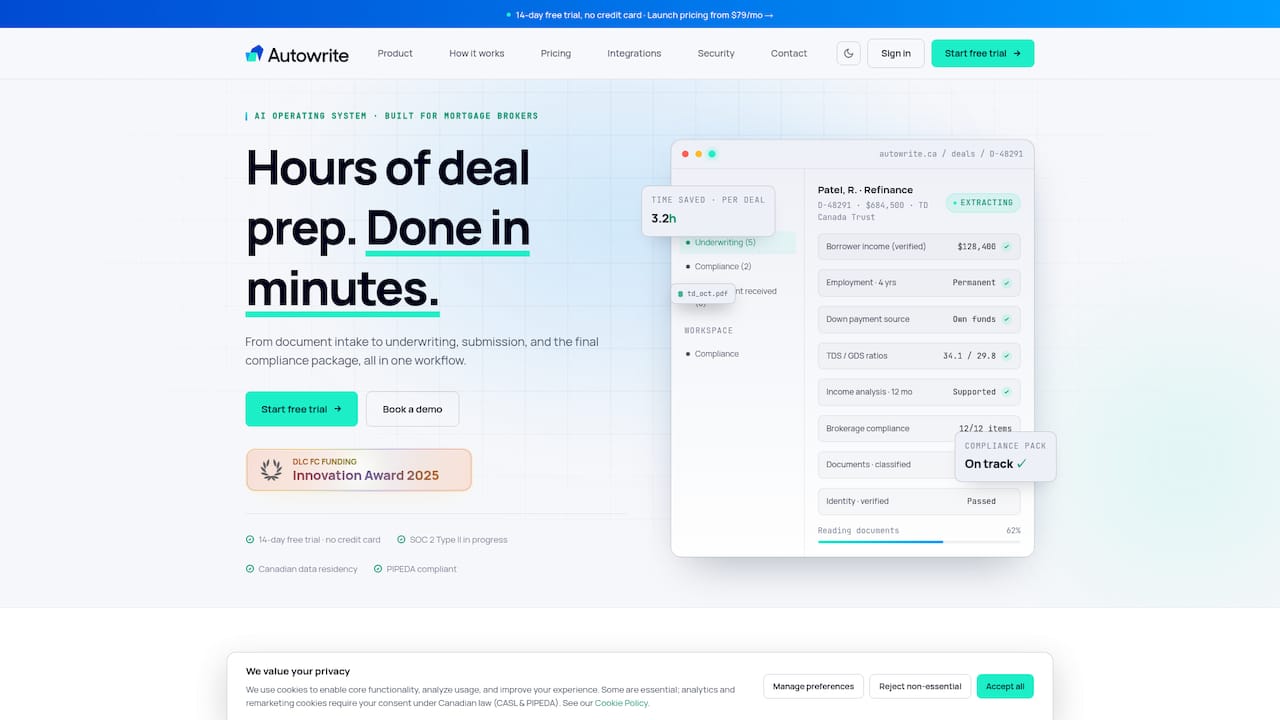
Compare the plans on the Autowrite pricing page and start with a few live files. If you are planning a wider rollout, our guide to building a Canadian mortgage tech stack in four weeks lays out the order to add tools.
A simple rollout plan
Adopting all ten at once is a mistake. A sequence that works for most brokerages:
- Week one: pick the document platform and run three to five real files through it, comparing the time to what you spent before.
- Week two: add a note-taker or writing assistant, with a written consent script for recorded calls.
- Week three: clean your CRM and switch on follow-up prompts.
- Week four: review results, tighten privacy settings and write a one-page AI policy for your team.
Measure two numbers: minutes of admin per file and days from application to submission. If a tool does not move either, drop it.
FAQ
What is the best AI tool for a Canadian mortgage broker?
For most brokers, a mortgage-specific document automation platform delivers the largest time saving, because document handling is the biggest block of admin work. Autowrite is built for this, from intake through extraction to compliance packages. Add general assistants and note-takers once the document workflow is in place.
Is it safe to put client information into an AI tool?
Only if the tool meets your privacy obligations and your brokerage's policy. Ask about Canadian data residency, whether data is used for model training, access controls and deletion. BCFSA also advises fact-checking AI output rather than accepting it as given.
Can AI replace a mortgage assistant?
AI can take over repetitive tasks such as sorting documents, extracting figures and assembling packages, which are the tasks an assistant often handles. Advising clients, judging a complex file and signing off on submissions remain with licensed professionals.
How much does AI software for mortgage brokers cost?
Prices range from free tiers on general assistants to monthly subscriptions for specialized platforms. Autowrite's published plans are $99, $199 and $399 per month, with a 14-day free trial, and per-deal fees of $20 or $35 for pay as you go.