

If you are looking past Finmo because the paperwork still lands on your desk, the strongest alternative is a platform that handles the documents themselves: intake, classification, data extraction, form filling and the compliance package. Autowrite is built for exactly that, for Canadian brokers, agents and brokerage owners. Below, we compare the main types of alternatives on the criteria that decide a switch, then show where each fits.
TL;DR
- Finmo is known as a digital mortgage platform. Most brokers who look for an alternative want less manual work on documents, not another place to collect them.
- Alternatives fall into five types: document automation platforms, broker suites, point-of-sale and application portals, general-purpose tools, and hiring an assistant.
- Autowrite automates document intake, classification, extraction, underwriting form fill, e-sign and compliance packages, with Canadian data residency.
- Plans start at $99 per month, with a 14-day free trial.
- Your records must satisfy FSRA (Ontario, six years) and FINTRAC (five years). Choose software that produces a clean file for both.
Table of Contents
- Why brokers look for a Finmo alternative
- The five types of alternatives compared
- 1. Document automation built for Canadian brokers
- 2. Broker suites
- 3. Point-of-sale and application portals
- 4. General-purpose tools
- 5. Hiring an assistant
- Compliance: what your workflow must produce
- What each option costs
- Which option fits which reader
- Perspective
- Try the paperwork workflow on your own files
- How to switch without disrupting live files
- FAQ
- Sources
Why brokers look for a Finmo alternative
Most brokers who move off a point-of-sale or application platform say the same thing in different words: the client-facing part works, but the back office does not shrink. Documents still arrive as photos, scans and mixed PDFs. Someone still reads them, names them, checks them against the lender's requirements and types numbers into forms.
That is where a broker's week disappears. A typical file involves ID, income documents, down payment history, property documents and lender forms. Each one has to be identified, read and placed in the right spot. Multiply by your monthly deal count and the admin load is larger than the advice work.
So the useful question is not "which platform is the next Finmo?" but "which part of my workflow costs me the most hours?" Four answers come up again and again:
- Intake and sorting. Documents arrive unlabelled and out of order.
- Data entry. The same figures get keyed into the CRM, the origination system and lender forms.
- Compliance records. Files must be complete and retrievable years later.
- Team visibility. Owners cannot see where each deal stands without asking.
The type of alternative you choose should match whichever of these hurts most.
The five types of alternatives compared
We describe options by type rather than by company, because a type tells you what a tool is built to do. The table shows how each handles the tasks that matter.
| Type | Document intake and classification | Data extraction and form fill | Compliance package | Best suited to |
|---|---|---|---|---|
| Document automation platform built for Canadian brokers (Autowrite) | Automated | Automated, with line-level confidence on extracted data | Assembled automatically with e-sign | Brokers and brokerages who want the paperwork itself removed |
| Broker suite (CRM plus origination tools) | Usually manual filing | Mostly manual entry | Checklists, depends on staff | Teams that want one system of record for contacts and deals |
| Point-of-sale and application portal | Collects borrower uploads | Limited to what the borrower enters | Depends on setup | Brokers focused on a borrower-facing application |
| General-purpose tools (cloud folders, spreadsheets, e-sign apps) | Manual | Manual | Built by hand | Solo agents with very few files |
| Hiring an assistant | Human sorting | Human entry | Human checking | Agents with steady volume and budget for payroll |
The differences sit in the middle columns. Only the first type works on the contents of the documents. The others store, route or display them.
1. Document automation built for Canadian brokers
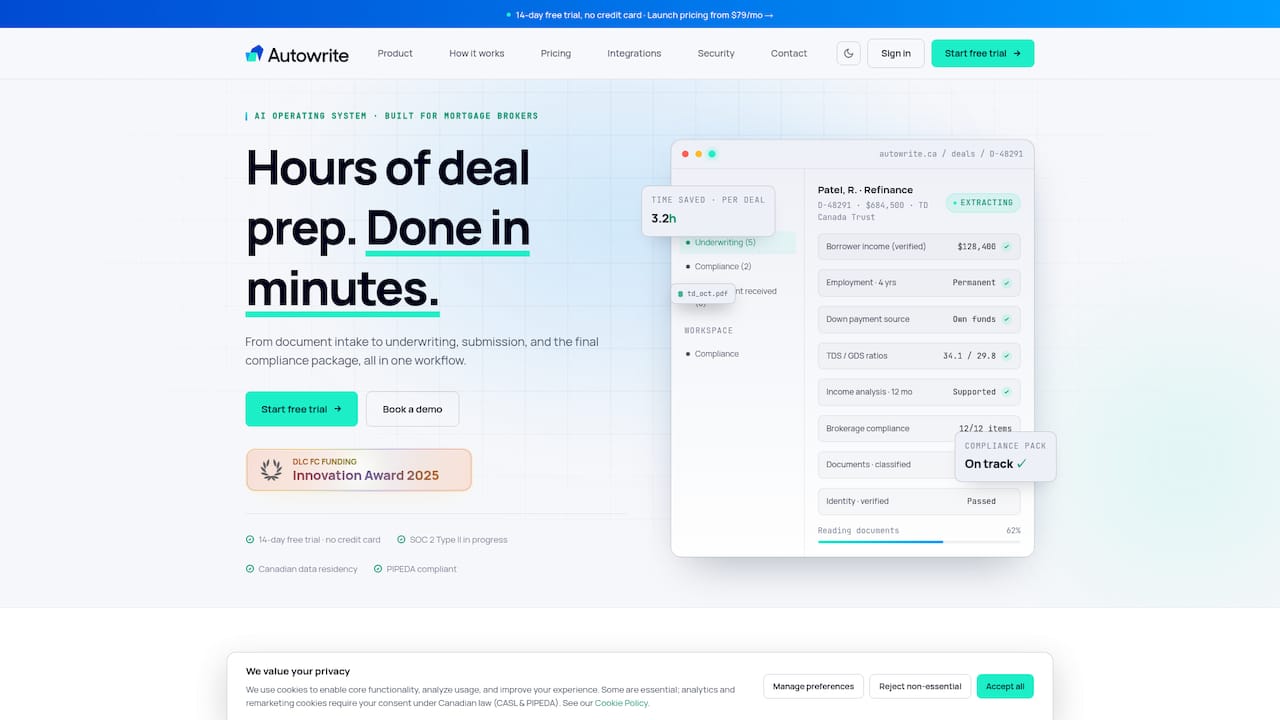
This is the type that answers the paperwork complaint directly. Autowrite is an AI-powered operating system for Canadian mortgage brokers. It covers the stages between a client sending files and a lender receiving a complete submission:
- Document intake and automatic classification.
- Data extraction, with line-level confidence on what was read.
- Auto-filled underwriting forms.
- Sync with mortgage software.
- E-sign and compliance package assembly.
- Income and down payment analysis.
- Team pipeline management.
Two features matter most to a licensed broker. First, the system integrates with Canadian loan origination systems, so extracted data does not have to be retyped. Second, it supports Canadian data residency, which matters when your files hold SINs, T4s, Notices of Assessment and bank statements.
If you want the longer comparison of tools in this category, our guide to the best mortgage document automation software in Canada goes through the criteria one by one.
2. Broker suites
A broker suite combines a CRM, a deal pipeline and often an origination system. It is the right tool when your problem is scattered contact records and no shared view of the pipeline. It keeps the file organized after you have put the information in.
The gap is the data entry. A suite stores the borrower's information; someone on your team still has to read the documents and key in the numbers. That is why brokers often pair a suite with a document layer. Autowrite syncs with mortgage software so the suite stays your record while the extraction work is automated.
Our comparison of mortgage broker software in Canada covers how these suites differ.
3. Point-of-sale and application portals
This is the category Finmo belongs to. These platforms give the borrower a digital application and a place to upload documents, and give the broker a dashboard. For borrower experience, that is a clear win.
Where brokers feel the limit is after the upload. The borrower sends a file called "scan0042.pdf", and a person still has to find out what it is. If you like your application front end, the question to ask is whether the files that come out of it are sorted, read and placed into lender forms without your staff. That step is what Autowrite automates.
4. General-purpose tools
Cloud folders, spreadsheets and a standalone e-sign app are what many solo agents start with. They cost little to begin with, and they scale poorly. Every file depends on one person's naming habits, and a compliance file is only as complete as that person's memory on a busy day. Once you are closing a steady number of deals, hours spent on folder discipline are hours not spent with clients.
5. Hiring an assistant
An administrative assistant takes real work off a broker's desk, and many agents ask whether to hire one. The two options work well together: software handles classification, extraction and package assembly in minutes, so the person you hire spends time on client follow-up and lender communication instead of retyping figures. For an agent deciding between the two, software is the first investment, because it raises the output of whoever sits at the desk.
Compliance: what your workflow must produce
This is where the choice stops being about convenience. Whatever you pick must leave a file that stands up to a regulator.
Ontario. FSRA expects brokers to keep relevant records for six years past the transaction's expiry date, or six years from creation when there is no expiry date or completed transaction, as set out in its record-keeping guidance for mortgage brokers. The same guidance says records should create a document-based narrative of what was done and why, so a third party could understand your recommendation without extra explanation.
FINTRAC. Brokers subject to the Proceeds of Crime (Money Laundering) and Terrorist Financing Act must keep certain records, including copies of reports sent to FINTRAC, for at least five years. FINTRAC lists what applies in its record keeping requirements for mortgage brokers.

British Columbia, Alberta and Quebec each have their own regulator and rules, so confirm the requirement for your province with it directly.
Three questions help you judge any option against these rules:
- Does every document in a file get classified and linked to the deal automatically?
- Can you produce the complete file, with the reasoning, on request?
- Are client files stored in Canada?
Autowrite assembles compliance packages automatically and supports Canadian data residency. For the detail, see our guides on FINTRAC's five-year and FSRA's six-year retention periods, what Ontario brokers must keep on file and audit-ready digital compliance records.
What each option costs
Pricing structure differs as much as the price. Suites and portals commonly charge per seat or on a custom quote. General-purpose tools are cheap per month but cost you staff time. An assistant is a salary.
Autowrite publishes its prices, in Canadian dollars, on its pricing page:
| Plan | Price |
|---|---|
| Starter | $99 per month |
| Pro | $199 per month |
| Legend | $399 per month |
| Enterprise | No published price |
| Additional deal | $20 per deal |
| Pay as you go | $35 one-off |
Prices were read from the site on 11 October 2026. Plans are billed monthly or annually, and a 14-day free trial is available. Check the pricing page for the current figures before you decide.
Which option fits which reader
- Overwhelmed individual brokers and agents: a document automation platform returns the most hours per dollar, because the time sink is reading and keying documents.
- Brokerage owners: you need a consistent file standard across every agent. Automated classification and compliance packages give you that, plus pipeline visibility for the team.
- Agents considering an assistant: start with automation, then hire for client-facing work.
- Tech-savvy brokers: look at extraction with line-level confidence and sync with your origination system, since those are where automation is most visible.
- Private lenders: the same intake and extraction workflow shortens the path from submission to decision.
- Brokers in Ontario, British Columbia, Alberta and Quebec: the platform is built for Canadian brokers, so your files follow Canadian documents and Canadian residency expectations.
Borrowers and first-time home buyers are not the customers of this software. It is licensed to mortgage professionals, who then ask clients for documents in a clean, structured way.
Perspective
Brokers did not enter this business to rename PDFs. Yet when we look at where a mortgage file's time goes, it is the reading, sorting and retyping of documents, not the advice.
That is why we built Autowrite around the documents. A platform that collects uploads is a good start. A platform that classifies them, reads them with line-level confidence, fills the underwriting forms and assembles the compliance package takes hours of work and turns it into minutes.
We also believe compliance should be a by-product of the workflow, not a scramble at the end. When every document is classified and linked to its deal as it arrives, the file you would show a regulator is the file you already have.
For a Canadian broker, that is the case for choosing a purpose-built operating system: one platform, Canadian data residency, native links to Canadian origination systems, and more time with clients.
Anant Bawa
Try the paperwork workflow on your own files
Autowrite plans start at $99 per month, and the 14-day free trial lets you run real deals through intake, classification, extraction and package assembly. If you close more than your plan covers, additional deals are $20 each.
Start on the Autowrite pricing page or see the platform at autowrite.ca.
How to switch without disrupting live files
A move from one platform to another is easiest when you stage it.
- Pick a pipeline cut-off. Leave deals already in progress where they are and run new files through the new workflow.
- Connect your origination system. Confirm the sync so extracted data lands where your lenders expect it.
- Run two or three files end to end. Compare the classified documents and the extracted figures with your usual process.
- Standardize your document requests. A consistent request to clients makes classification cleaner from the start.
- Roll out to the team. Owners can use the pipeline view to see where each deal stands.
For how automated classification works in practice, read our guide to compliance-first document classification. For what a lender submission needs, see the seven core underwriting documents.
FAQ
Is Autowrite a replacement for Finmo?
Autowrite is a document workflow platform: intake, classification, extraction, underwriting form fill, e-sign and compliance packages. Brokers who want the paperwork handled use it as their main workflow, and it syncs with mortgage software so your existing records stay connected.
How long must Canadian brokers keep mortgage records?
In Ontario, FSRA expects records for six years past the transaction's expiry date, or six years from creation if there is no expiry date or completed transaction. FINTRAC requires at least five years for the records it lists. Confirm your own province's rule with its regulator.
What does Autowrite cost?
Starter is $99 per month, Pro is $199 per month and Legend is $399 per month. Enterprise has no published price. Additional deals are $20 each, and pay as you go is $35 one-off. A 14-day free trial is available.
Is client data kept in Canada?
Autowrite supports Canadian data residency and is designed for privacy compliance in Canada. That matters when files contain SINs, income documents and bank statements.
Sources
- FSRA: Keep good records to protect your reputation
- FINTRAC: Record keeping requirements for mortgage administrators, brokers and lenders