
The fastest way to automate document collection and follow-ups is to treat it as one workflow: a checklist built from the deal type, a secure borrower upload link, scheduled reminders, automatic classification and extraction, and a human review before anything goes to the lender. Autowrite is built for Canadian brokers to run that whole chain in one place, with 14-day free trial access on its paid plans.
Below is the routine step by step, where each step usually goes wrong, and what to check on privacy and record-keeping before you switch it on.
TL;DR
- Build the document list once per deal type (purchase, refinance, self-employed), then let software issue it and chase it on a schedule.
- Replace email attachments with a secure upload link, because email and unsecured PDFs are a known risk for personally identifiable information.
- Classify and extract data automatically, but keep a human review of low-confidence fields before submission.
- Under PIPEDA, keep only what you need, restrict access and delete files when retention ends. In BC, new brokerage policy rules take effect October 13, 2026.
- Measure days to a complete file, number of reminder rounds and rework, not hours saved alone.
Table of Contents
- Why manual collection stalls files
- Step 1: Build the document list by deal type
- Step 2: Replace email attachments with a secure upload link
- Step 3: Schedule follow-ups that match the file's clock
- Step 4: Classify and extract automatically
- Step 5: Review, then connect the file to your systems
- Privacy, consent and retention rules to set first
- Measure whether it works
- Our perspective
- Put it to work with Autowrite
- FAQ
- Sources
Why manual collection stalls files
Most delays are not underwriting delays. They are a missing paystub, a blurry bank statement or a borrower who never saw your third email. The Canadian Lenders Association notes that when borrowers lack direct access, document collection and follow-ups become disjointed, which raises the chance of errors and inconsistent communication. A project funded through Scale AI reports that Canadian mortgage specialists spend over half their time on repetitive tasks and document handling, which limits capacity.
Automation targets exactly that repetitive layer: asking, chasing, sorting, reading and filing. It does not replace your judgment on the file.
Step 1: Build the document list by deal type
Start with what lenders and insurers actually require. The CRA's July 2025 consultation report found the most used income documents are T4 slips, notices of assessment and proof-of-income statements, alongside employment letters, paystubs and bank statements. For insured loans, Genworth Canada's Schedule A lists the minimum documents a lender must obtain and retain: signed offer to purchase, signed application and commitment, income and employment verification, down payment source and borrower identity.
Turn that into three or four templates:
- Salaried purchase: two recent paystubs, employment letter, T4s, notices of assessment, 90 days of bank statements for the down payment, government photo ID, signed offer to purchase.
- Self-employed: T1 Generals, notices of assessment, business financial statements, plus the rest.
- Refinance or renewal: property tax bill, current mortgage statement, income documents.
Where it goes wrong: one generic list sent to everyone. Borrowers either get overwhelmed or send the wrong items. Our mortgage document checklist for Canadian brokers lays out a full list you can adapt.
Step 2: Replace email attachments with a secure upload link
The Canadian Lenders Association reports that many Canadian lenders still rely on standard email and unsecured PDFs to send personal information, and that encrypted exchange, controlled access and audit trails reduce the risks. A borrower link should let the client see what is outstanding, upload from a phone and receive confirmation.
Where it goes wrong: borrowers photograph documents at an angle, upload one page of a three-page statement, or send documents that are months old. Set the checklist to state the required period and page count beside each item.
Autowrite handles automated document intake and classification, and Canadian data residency is part of the platform, so uploaded files stay in Canada.
Step 3: Schedule follow-ups that match the file's clock
Follow-ups work best when tied to deal milestones rather than to your memory. FCT's broker brochure advises asking borrowers for required documents 5 to 10 days before closing and sending documents to the lender at least 3 days before closing.
A practical cadence, counted back from the deadline you set for the file:
- Day 0: request with the secure link and the specific list.
- Day 2: automatic reminder naming only the missing items.
- Day 4: second reminder by text message or email, whichever the borrower has replied to before.
- Day 6: task for you or your assistant to phone the borrower.
Where it goes wrong: reminders that repeat the whole list. Nagging about items already received trains borrowers to ignore you. The reminder should be generated from what is still missing. The same pattern applies to third parties such as employers, lawyers and accountants.
For teams designing the broader request-and-track routine, this workflow for delegating and tracking tasks shows how automated queues and follow-ups can be structured.
Step 4: Classify and extract automatically
Once a file arrives, software should recognize what it is (a T4, a notice of assessment, a bank statement), attach it to the right borrower and pull the fields you need. The Scale AI project describes automating extraction, classification and validation of income statements and bank records.

Autowrite classifies documents and extracts data, and its document intelligence provides line-level confidence for extraction. In practice, that lets you review the doubtful lines rather than retype the whole statement. Read more in our guide to OCR for mortgage documents.
Where it goes wrong: addresses and identifiers. Sagen states that data accuracy is the most important factor in turnaround time, and stresses the full property address with postal code and the borrower's current residential address. Make those fields mandatory review items.
Step 5: Review, then connect the file to your systems
Automation should end in a clean handoff. Autowrite auto-fills underwriting forms, syncs with mortgage software and assembles e-sign and compliance packages, so the extracted data flows forward instead of being rekeyed. The principle for any setup: one source of truth for borrower data, with the CRM, mortgage origination software, email and storage all reading from it.
Before you submit, run a short human check:
- Names and addresses match across documents.
- Statement dates fall in the required window.
- Income figures tie to the extracted values.
- Signed items are complete.
Our mortgage underwriting checklist and the guide to automating lender submissions go deeper on this stage. If you use electronic signatures, see how to make them defensible in Canada.
Privacy, consent and retention rules to set first
This is where brokerage owners should spend time before launch.
Federal privacy. The Personal Information Protection and Electronic Documents Act (PIPEDA) governs how personal information is collected, used, stored and disclosed in commercial activity, with consent requirements. In practice: collect only what the file needs, store it in a controlled system, restrict access and delete securely when the retention period ends. Quebec brokers should also confirm any provincial privacy obligations with their regulator or counsel.
Retention. For insured loans, the originating lender is expected to keep complete documentation for at least 7 years after the initial insurance date. Set your system's deletion rules accordingly rather than purging by habit.
Consent and access. The CRA consultation confirms that borrower consent is required for access to tax information, and roundtable participants proposed two-factor authentication, assigned-user access, borrower notifications, time limits and audit trails. They are good design targets for any document tool you adopt.
British Columbia. Order in Council 352/2025, made July 14, 2025 and effective October 13, 2026, requires brokerages to have policies covering identity verification of borrowers and lenders, fraud prevention, and record maintenance and retention, reviewed at least annually and after a significant breach. Brokerages in BC should confirm their written policies now match how the automated workflow stores and logs files. Autowrite supports broker compliance and Canadian data residency, which fits a records policy that names where files live.
Measure whether it works
Track a few numbers before and after, per deal type:
- Days from request to complete file.
- Reminder rounds per file, and how many needed a phone call.
- Items rejected by the lender or insurer for being incomplete or out of date.
- Minutes of your own time per file.
Compare a month of manual files with a month on the new routine. Our guides on task automation for brokers and the five workflow stages worth automating suggest where gains usually appear.
Our perspective
Most brokerages do not have a paperwork problem so much as a handoff problem. The document arrives in an inbox, someone renames it, someone else rekeys it, and a reminder lives in a sticky note.
We built Autowrite as one platform for Canadian brokers so the same file moves from intake to classification, extraction, underwriting forms and compliance package without being touched four times. Line-level confidence means you review what is uncertain instead of everything.
Automation is strongest when it handles the chasing and typing, and the licensed professional keeps the judgment, the borrower conversation and the sign-off.
Anant Bawa
Put it to work with Autowrite
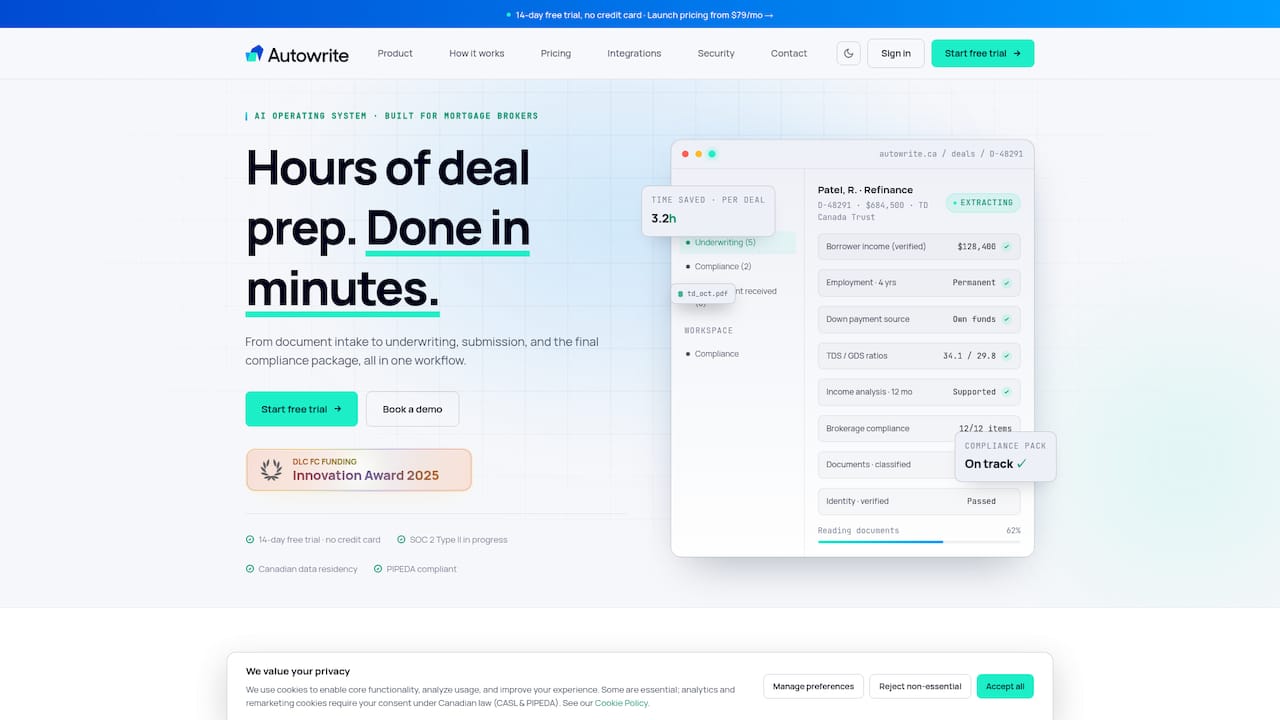
Autowrite covers document intake, classification, data extraction, underwriting form auto-fill, mortgage software sync and e-sign and compliance packages. Plans are Starter at $99 per month, Pro at $199 per month and Legend at $399 per month, with Enterprise available without a published price. Additional deals cost $20 each, and pay as you go is $35 per deal. Paid plans include a 14-day free trial. See the pricing page or start at autowrite.ca.
If you are comparing options by type first, our comparison of mortgage document automation software in Canada sets out the criteria, and the overview of AI document automation for brokers explains the technology.
FAQ
What documents should I automate requests for?
Start with identity, income (paystubs, employment letter, T4s, notices of assessment), down payment history and the signed offer to purchase. Add items by deal type, such as T1 Generals for self-employed borrowers.
How often should automated reminders go out?
Tie them to the closing timeline. A reminder every two days naming only missing items, followed by a task for a personal call, works well. FCT's brochure suggests requesting documents 5 to 10 days before closing.
Is automated document collection compliant with Canadian privacy law?
It can be, if you collect only what you need, obtain consent, restrict access, keep an audit trail and delete files when retention ends, as PIPEDA expects. BC brokerages also face new policy requirements effective October 13, 2026.
Can first-time buyers use this to organize their own documents?
The workflow is built for licensed brokers, agents and brokerages. As a buyer, you will receive the secure link and checklist from your broker.
Sources
- Canada Revenue Agency: Mortgage Industry Consultation on a Potential Income Verification Tool
- Genworth Canada: Schedule A
- Sagen: Data Submission Schedule A
- FCT: Managed Mortgage Solution brochure
- Canadian Lenders Association: From Email Chains to Real-Time Access
- Scale AI: AI-Powered Mortgage Processing for Canadian Lenders and Brokers
- Personal Information Protection and Electronic Documents Act
- BC Order in Council 352/2025