

For a small Canadian brokerage, the best mortgage broker software is the one that removes the paperwork between a client's first document and a lender-ready file, not the one with the longest feature list. Autowrite is built for that job: it handles document intake, classification, data extraction, underwriting form fill, e-sign and compliance packages in one platform made for Canadian brokers. Below, we compare the main kinds of software a small team can choose from, what each one does well, and how to judge fit before you commit.
TL;DR
- Small brokerages lose the most time on documents, not on contact management, so start with the tool that automates intake, extraction and file assembly.
- Autowrite covers document intelligence, underwriting form fill, syncing with mortgage software, compliance packages and Canadian data residency in one subscription, from $99 per month.
- Whatever you choose, check where client data is stored, how consent is handled and whether the software supports the policies your provincial regulator expects.
- Judge a platform on a real file from your own pipeline, over a trial period, with your whole team using it.
Table of Contents
- The four kinds of software small brokerages choose from
- Why documents decide the choice for a small brokerage
- What to look for in mortgage broker software
- Compliance your software should support
- What mortgage software costs
- How to assess fit for your team
- Which option suits which brokerage
- Try Autowrite on a live file
- Our perspective on small brokerage software
- FAQ
- Sources
The four kinds of software small brokerages choose from
Most searches for this topic turn up a mix of products that solve different problems. Sorting them by type makes the choice clearer.
| Type of software | What it does well | Where small teams feel the gap |
|---|---|---|
| Document automation and mortgage operating system (Autowrite) | Reads, classifies and extracts data from client documents, fills underwriting forms, builds compliance and e-sign packages, syncs with mortgage software | Built around the file, so it replaces the manual work that eats the day |
| Mortgage CRM | Contacts, referral tracking, follow-up, marketing campaigns | Does not read documents, so the paperwork stays manual |
| Loan origination system (LOS) | Submits applications to lenders and holds the deal record | You still key in data and gather documents by hand |
| General sales CRM or spreadsheets and shared folders | Low entry cost, flexible | No mortgage stages, no extraction, no compliance packaging |
These are not always rivals. A brokerage can keep a loan origination system for submissions and add a document platform in front of it. The point is to put your money where your hours go.
Why documents decide the choice for a small brokerage
A small brokerage has a few licensed people and perhaps one assistant. Every hour spent renaming pay stubs, chasing missing T4s or retyping figures into a form is an hour not spent with a client or a lender. A CRM will remind you to call a client. It will not read the notice of assessment that client sent.
That is why we rank document-first software at the top for teams of one to ten. Autowrite automates document intake, classification and data extraction, then auto-fills underwriting forms and assembles e-sign and compliance packages. It also provides income and down payment analysis and supports team pipeline management, so the same platform covers the file from intake to submission.

For a mortgage agent thinking about hiring an assistant, the comparison is practical. The software does not replace the assistant's judgment, but it takes over the repetitive classification and data entry, so the assistant's time goes to follow-up and file quality.
What to look for in mortgage broker software
Use these criteria as a checklist when you compare any product. We have put them in the order that matters most to a small team.
1. Document intelligence, not just storage
A shared drive stores documents. Document intelligence identifies what each one is, pulls out the figures and tells you how sure it is. Autowrite shows line-level confidence for extracted data, so you can see which values are solid and which deserve a second look before they reach a form.
2. Integration with the systems you already use
If the software cannot sync with your mortgage software, you will end up with two records of every deal. Autowrite offers native integrations with Canadian loan origination systems. Ask any vendor which systems they connect to, and whether data moves both ways. Our guide on mortgage data syncing and privacy controls explains what to check when records move between tools.
3. Compliance packaging
Compliance is a file-level job. Each file needs identity verification, disclosures and consent on record. Software that assembles those items into a package at the end of the file saves the scramble at audit time. Our KYC guide for Canadian mortgage brokers lists what a file should hold.
4. Canadian data residency
Client files contain social insurance numbers, income details and banking records. Autowrite provides Canadian data residency with privacy compliance, which matters when a client or a regulator asks where information is held.
5. Pricing that scales with your volume
Small brokerages have uneven months. A fixed fee that rises as you add people is easier to plan than per-seat pricing that surprises you. More on that below.
6. Usability for a mixed team
Brokers, agents and assistants all touch the file. If one person needs a day of training and the others avoid the tool, adoption fails. A trial with the whole team shows this faster than a demo does.
Compliance your software should support
Rules differ by province, and a national tool has to work across them. Two sources are worth knowing, one from British Columbia and one national.
British Columbia. Under the Mortgage Services Act, BCFSA's regulatory statement on licence applications sets the required form and content, effective 13 October 2026, and repeals the related statements issued under the previous Mortgage Brokers Act. Registration as a Mortgage Services Team becomes effective on 1 April 2027, which matters to small brokers who work as partners or with assistants. Separately, Order in Council 352/2025 requires a mortgage brokerage to establish and implement policies and procedures covering compliance with the Act, adequate supervision and training of related licensees, duties to clients, required disclosures, and verification of the identity of borrowers, lenders and their representatives.
What this means in practice: your brokerage needs written procedures, and it needs a file record that shows those procedures were followed. Software that stores identity checks, disclosures and consent with each file makes that record a by-product of the work rather than a separate project.
Privacy, nationally. The Mortgage Broker Regulators' Council of Canada publishes guidance on protecting client data under PIPEDA, the federal private-sector privacy law. It points brokerages to an incident monitoring and response plan, a device inventory with encryption status, classification of electronic assets, tested backup and recovery, policies limiting how sensitive client data is collected, stored and used, and a risk assessment. It also notes that Principle 8 of the MBRCC Code of Conduct says client information may be used and disclosed only for purposes the client consented to, or as the law requires.
Turn that into questions for any vendor:
- Where is client data stored, and can the vendor confirm Canadian residency?
- Is there a record of who opened or changed a file?
- How are backups handled, and how fast can you recover a file?
- How does the tool capture and store client consent?
- What is the vendor's process if an incident occurs?
Our PIPEDA checklists for Canadian mortgage brokers, breach reporting guide and privacy consent wording go deeper on each. If you are still setting up your brokerage entity, settle business registration in Canada first, because your privacy policies, subscriptions and continuity plans all attach to the legal entity that holds client data.
Provincial regulators in Ontario, Alberta and Quebec have their own licensing and conduct rules, so confirm the specifics with your regulator. A good platform stores the same core evidence on every file, which serves whichever province you work in.
What mortgage software costs
Pricing models for this software fall into three patterns: a flat monthly subscription, per-user fees, and quote-only enterprise contracts. Small brokerages tend to do best with a flat monthly plan and a small per-deal charge for busy months, because the cost tracks the work.
Autowrite publishes its prices on its pricing page:
| Plan | Price |
|---|---|
| Starter | $99 per month |
| Pro | $199 per month |
| Legend | $399 per month |
| Enterprise | Contact us, no published price |
| Additional deal | $20 per deal, one-off |
| Pay as you go | $35 per deal, one-off |
Paid plans are billed monthly or annually, and every plan starts with a 14-day free trial. To see how this compares with the rest of the market, our guide to mortgage software costs in Canada covers pricing ranges, loan origination systems and data rules.
When you total the cost of any option, add three things people forget: the hours your team spends on data entry that the tool does not remove, the cost of running two systems that do not sync, and the cost of rebuilding a compliance file when an audit arrives.

How to assess fit for your team
A demo shows the best case. These five steps show the real one.
- Pick three real files. Choose one clean file, one messy file with missing pages, and one self-employed borrower. Document tools earn their keep on the messy ones.
- Time the intake. Measure how long it takes from receiving documents to a file ready for review, before and after.
- Check the extraction. Look at the figures the software pulled and how it flags uncertain ones. Line-level confidence makes this quick.
- Run the submission path. Confirm that data reaches your mortgage software without retyping.
- Put everyone on it. The broker, the agent and the assistant should each complete a task in the tool. If anyone struggles, ask why before you buy.
The 14-day trial on Autowrite gives you a window to do exactly this with live work.
Which option suits which brokerage
- A solo broker or agent drowning in paperwork: start with a document-first platform. Autowrite's Starter plan at $99 per month is the entry point.
- A team of two to five with an assistant: the Pro plan at $199 per month adds capacity for a shared pipeline. Team pipeline management lets everyone see where each file stands.
- A growing brokerage with several agents: the Legend plan at $399 per month fits higher volume. Beyond that, Enterprise is quoted individually.
- Brokers who want a CRM too: a CRM can sit alongside Autowrite for marketing and referral follow-up, since each handles a different part of the work.
- Private lenders and financial institutions: they can look at AI-powered workflows for document handling as a way to speed processing, with the same checks on data residency and consent.
For a wider view of the field, see our comparisons of the best mortgage broker software in Canada, the best mortgage document automation software and AI tools for Canadian mortgage brokers.
Try Autowrite on a live file
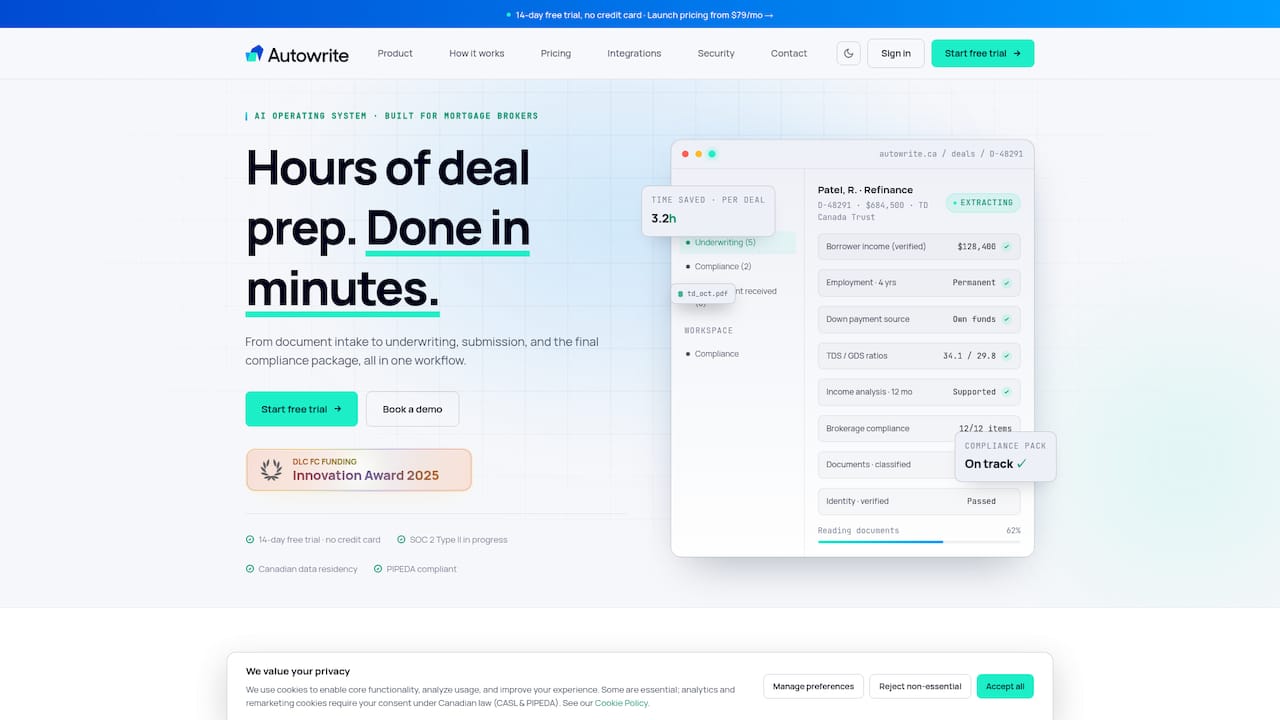
Autowrite is an AI-powered operating system for Canadian mortgage brokers. It takes a file from document intake through classification, data extraction, underwriting form fill and compliance package assembly, and syncs with your mortgage software along the way. Plans start at $99 per month with a 14-day free trial.
Start on the Autowrite site or see the plans on the pricing page.
Our perspective on small brokerage software
Small brokerages are told to buy software the way big ones do: a CRM first, then a loan origination system, then a pile of add-ons. We think that order is backwards for a team of a few people.
The work that drains a small brokerage is the file. Documents arrive in every format, someone renames and sorts them, someone retypes the numbers, and someone assembles the package for compliance. That is where hours go, and it is where we built Autowrite to work.
We designed it for Canadian brokers specifically: native integrations with Canadian loan origination systems, automated compliance package generation, and Canadian data residency with privacy compliance. Line-level confidence on extracted data means you review what needs a look instead of rechecking everything.
Our aim is simple. Hours of administrative work should become minutes, so brokers can spend their time with clients and close deals faster.
Anant Bawa
FAQ
What is the best mortgage broker software for a small brokerage in Canada?
For most small brokerages, a platform that automates documents and file assembly gives the biggest time saving. Autowrite does this for Canadian brokers, with plans from $99 per month. Pair it with a CRM only if you also want marketing and referral tracking.
Do I need a CRM and a document platform?
They do different jobs. A CRM manages contacts and follow-up, while a document platform reads and organizes the files behind each deal. Many small teams begin with the document platform because that is where the paperwork load sits.
How much does mortgage software cost in Canada?
It depends on the model. Autowrite's plans run $99, $199 and $399 per month, with Enterprise quoted separately, and extra deals cost $20 each. Each plan begins with a 14-day free trial.
What should I check about privacy before choosing software?
Confirm where data is stored, how consent is recorded, how backups work and what the incident process is. The MBRCC guidance on PIPEDA lays out the measures regulators expect. Autowrite provides Canadian data residency.
Sources
- Required Form and Content of Licence Applications, BCFSA
- Order in Council 352/2025, Province of British Columbia
- Mortgage Broker Regulators' Council of Canada, PIPEDA data protection guidance