

The best mortgage software for a Canadian brokerage is the one that removes the most paperwork per file without breaking your compliance record. For most brokers, that means pairing your loan origination system (LOS) with an AI document layer. We built Autowrite for that layer: it handles document intake, classification, data extraction, underwriting form fill and compliance packages, and it syncs with your mortgage software instead of asking you to replace it.
Brokers who search for a head-to-head of the well-known Canadian platforms are usually asking one question: where does my time go on each file? This guide answers it by comparing the three kinds of tools that sit behind those names, so you can judge any product by what it does, not by its brand.
TL;DR
- Canadian mortgage software falls into three groups: borrower-facing application platforms, lender-submission LOS tools, and AI document operating systems.
- A LOS gets the deal to the lender. It does not, by itself, read, sort and check the pile of documents that comes before submission.
- Autowrite automates intake, classification, extraction, underwriting form fill, e-sign and compliance packages, and syncs with your mortgage software.
- Plans run from $99 per month (Starter) to $399 per month (Legend), with a 14-day free trial.
- Judge any option on file time saved, integration, compliance records and where your clients' data is stored.
Table of Contents
- Why a three-way brand comparison misleads
- The three kinds of Canadian mortgage software
- Side-by-side: what each kind does for a file
- Five criteria that decide the right choice
- What Autowrite costs
- Which setup fits which broker
- How to run a fair trial
- Where the market is heading
- Our perspective
- Try it on your next file
- FAQ
- Sources
Why a three-way brand comparison misleads
Brokers often line up two or three well-known platforms and ask which one wins. The trouble is that these products were built to solve different parts of the file. Comparing them on one feature list is like comparing a phone, a filing cabinet and a courier.
A mortgage file moves through stages: the client applies, documents arrive, someone reads and verifies them, the data is keyed into forms, the package is checked for compliance, and the deal is submitted to a lender. Software tends to own one or two of those stages. The stage you struggle with most should decide the tool you buy first.

Our own research on the five workflow stages vendors should automate follows the same logic: start from the stage that costs you hours, then choose the tool.
The three kinds of Canadian mortgage software
1. Borrower-facing application platforms
These are digital front doors. The client fills in an online application, uploads documents and signs consent, and the broker receives the data in a structured form. They are strong on the client experience and on getting the application started without phone tag.
What they leave to you: the quality of what clients upload. A borrower can still send a blurry pay stub, a three-month-old bank statement or the wrong page of a notice of assessment. Someone at the brokerage still has to open each one, decide what it is and whether it is good enough.
2. Lender-submission LOS tools
A loan origination system is the broker's system of record for a deal. The long-established Canadian options connect the broker to lender products and rates, and carry the deal through submission. If you are a licensed broker or agent in Ontario, British Columbia, Alberta or Quebec, you likely already use one.
What they leave to you: preparing the file. The LOS receives the data you enter. The reading, sorting and keying that comes before submission is still manual unless something else does it.
3. AI document operating systems
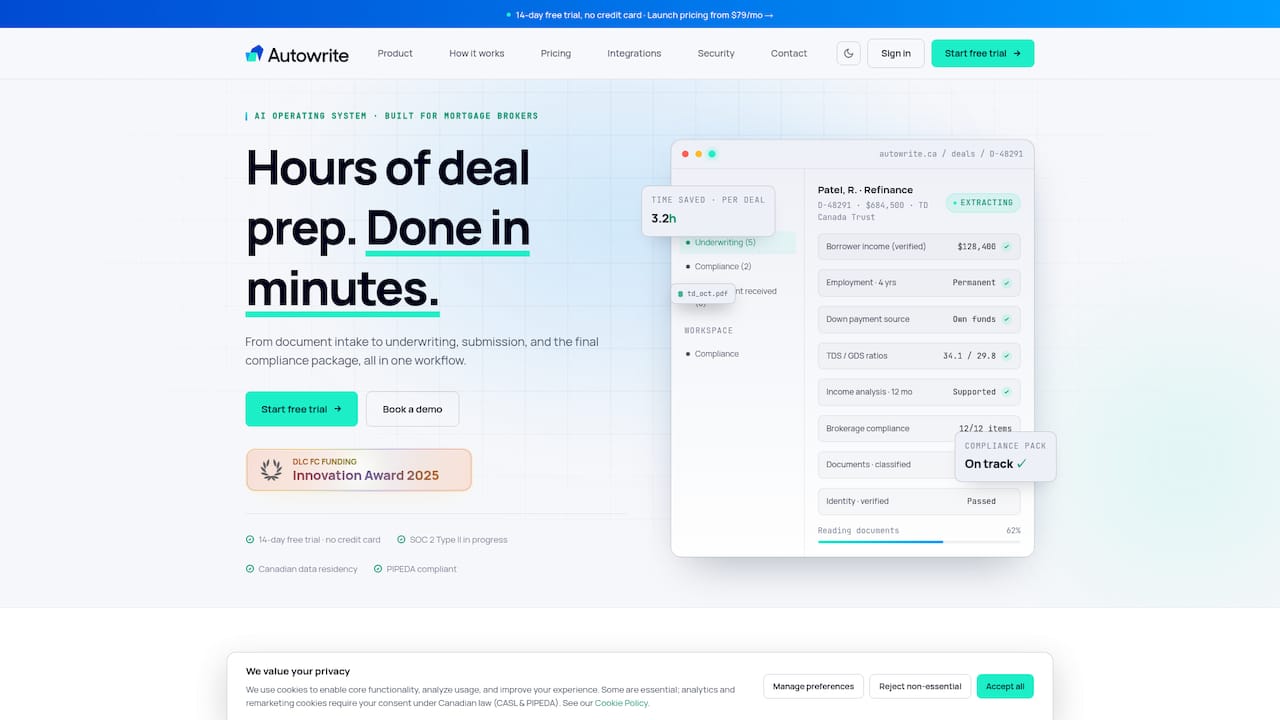
This is the newer group, and the one Autowrite belongs to. Instead of replacing your LOS, it works on the paperwork upstream and around it. Our platform automates document intake, classification and data extraction, auto-fills underwriting forms, syncs with mortgage software, assembles e-sign and compliance packages, and provides income and down payment analysis. It also supports team pipeline management.
Side-by-side: what each kind does for a file
| Stage of the file | Application platform | LOS | AI document operating system (Autowrite) |
|---|---|---|---|
| Client application and consent | Core strength | Supported | Works alongside your existing intake |
| Document intake and classification | Collects uploads | Stores files | Automated |
| Data extraction from documents | Limited to what the client enters | Manual entry | Automated, with line-level confidence |
| Underwriting form fill | Partial | Manual or partial | Auto-filled |
| Income and down payment analysis | Not the focus | Not the focus | Included |
| Compliance and e-sign package | Varies | Varies | Assembled automatically |
| Lender submission | Passes data on | Core strength | Syncs with your mortgage software |
The pattern is clear. The first two groups handle the edges of the file: the client at one end and the lender at the other. The middle, where documents are read, checked and turned into data, is where brokers lose their evenings. That middle is what we automate.
Five criteria that decide the right choice
Time per file
Count the minutes your team spends on each deal before submission: renaming documents, checking dates, retyping figures into forms. If that number is large, a tool that reads documents for you will pay back faster than a better interface for the client. Autowrite is built to turn hours of this work into minutes.
Integration with what you already run
A new tool that forces double entry defeats its purpose. Look for native syncing with your existing mortgage software so extracted data lands where you work. Our guide to developer-first mortgage integrations explains what to ask for, and our Canadian mortgage tech stack walkthrough shows how to phase a change in over four weeks so files keep moving.
Compliance records
A brokerage is expected to keep its files complete and orderly. In Ontario, for example, FSRA's guidance on mortgage brokerage records explains that, under O. Reg. 188/08, a brokerage must keep complete and accurate records of its mortgage activities. Software that assembles each file's compliance package the same way every time makes that standard easier to meet across a whole team. For brokerage owners, that consistency is the point: you see the same structure on every file before payout. Our page for brokerages sets out how we approach it.
Other provinces have their own regulators and rules, so check the requirements that apply to your licence.
Where client data lives
Mortgage files hold some of the most sensitive personal information a Canadian will ever hand over: income, employment, identity documents, bank history. Under PIPEDA, the federal private-sector privacy law, an organization remains accountable for personal information it passes to a third party for processing, as the Office of the Privacy Commissioner's guidance on cross-border processing explains. Canadian data residency keeps that conversation simple. Autowrite offers Canadian data residency with full privacy compliance. Our article on privacy controls for mortgage data syncing lists six controls worth checking in any tool.
The same thinking applies to the rest of your stack. The email that carries client documents deserves the same scrutiny, and a Canadian-hosted business email with your own domain is one way to keep that channel on Canadian soil too.
Total cost
Subscription price is only part of it. Ask about per-deal fees, seat charges and what happens at renewal. Our breakdowns of mortgage software costs in Canada and of how to avoid six-figure renewals cover the traps on both ends of the market.
What Autowrite costs
Pricing is published and monthly:
| Plan | Price |
|---|---|
| Starter | $99 per month |
| Pro | $199 per month |
| Legend | $399 per month |
| Enterprise | Contact us, no published price |
An additional deal costs $20 one-off per deal, and pay as you go is $35 one-off. Every paid plan starts with a 14-day free trial. Current details are on the pricing page.
Which setup fits which broker
The solo agent drowning in uploads. Your bottleneck is almost certainly document handling. An AI document layer on top of your current LOS gives you the biggest gain for the lowest monthly cost. Starter at $99 per month is the natural entry.
The small team with an assistant. If you are hiring someone mainly to sort documents and key data, automate that work first. Your assistant then spends time on client follow-up and lender calls instead of retyping figures.
The brokerage owner worried about consistency. Where each agent builds files differently, compliance review is slow. Standardized, automatically assembled packages and team pipeline management give you one view across the brokerage.
The private lender or financial institution. If your intake volume is the issue, the same document classification and extraction can feed your own review process faster.
The tech-savvy broker. Look at the integration depth first. Native syncing with your mortgage software and line-level confidence on extracted values mean you can review exceptions instead of every field.

If you want a wider market view, our comparison guide to mortgage broker software in Canada and our look at mortgage document automation software go deeper on each category.
How to run a fair trial
- Pick five recent files of different types: a salaried borrower, a self-employed borrower, a purchase with a gift down payment, a renewal, a file with many documents.
- Time how long each took you from first upload to submission-ready.
- Run the same kinds of files through the new workflow and time them again.
- Check that the data reaches your mortgage software without re-keying.
- Open the compliance package for each file and confirm it holds what your regulator expects.
The 14-day trial is long enough to run this on live work.
Where the market is heading
Canadian mortgage technology is moving toward AI that reads documents and fills forms, and regulators are watching how it is used. Our summary of mortgage tech trends in Canada covers the forms of AI drawing attention. Tools that show their work, such as confidence scores on each extracted line, fit that direction better than tools that return a number with no trail.
Our perspective
Brokers did not enter this business to retype pay stubs. Yet that is where the hours go, and a better portal or a faster submission screen does not change it.
We built Autowrite on a simple belief: the document is the unit of work in a mortgage file, so the document is where automation should begin. When classification, extraction and form fill happen the moment a file arrives, the broker's time moves to advice, lender strategy and the client relationship.
We also believe in fitting into the way Canadian brokers already work. That is why we sync with mortgage software, keep data in Canada and assemble compliance packages as part of the flow, not as an afterthought at the end of the month.
If you take one thing from this comparison, let it be this: choose the tool for the stage that costs you the most, and make sure it connects to the rest.
Anant Bawa
Try it on your next file
Autowrite is an AI-powered operating system for Canadian mortgage brokers. It takes a file from document intake through underwriting forms to a compliance and e-sign package, and it syncs with your mortgage software. Plans start at $99 per month with a 14-day free trial. See how it works at autowrite.ca.
Brokerage owners who want consistent, compliant files before payout can start from the brokerage page.
FAQ
Do I need to replace my LOS to use Autowrite?
No. Autowrite syncs with mortgage software, so extracted data and completed forms flow into the system you already use. The change happens in how documents are handled before and around submission.
Is Autowrite for borrowers who want to organize their own documents?
No. It is built for licensed mortgage brokers, agents and brokerage owners in Canada. Borrowers benefit indirectly when their broker handles their documents faster and more accurately.
What does Autowrite cost?
Starter is $99 per month, Pro is $199 per month and Legend is $399 per month. Enterprise has no published price. An additional deal is $20 one-off per deal, pay as you go is $35 one-off, and paid plans include a 14-day free trial.
Does it keep client data in Canada?
Yes. Autowrite provides Canadian data residency with full privacy compliance, which matters because organizations stay accountable for personal information they hand to a processor under PIPEDA.
Sources
- Office of the Privacy Commissioner of Canada: Guidelines for processing personal data across borders
- FSRA: Mortgage brokerage and administrator records management and up-front fees
- Tinymail: Canadian-hosted business email